
 Page Builder
  Widgets Bundle
  SiteOrigin CSS
  Installer
 Theme Addons
1 min read Updated
Theme addons add features to SiteOrigin themes. Each theme addon works only with the themes that support it. SiteOrigin Premium lists a theme addon only when your active theme supports it.
Requirements
- SiteOrigin Premium
- A SiteOrigin theme that supports the addon. See the table below.
Go to SiteOriginPremium Addons and click Theme Addons to see the theme addons for your theme. Click Activate on the addon card.
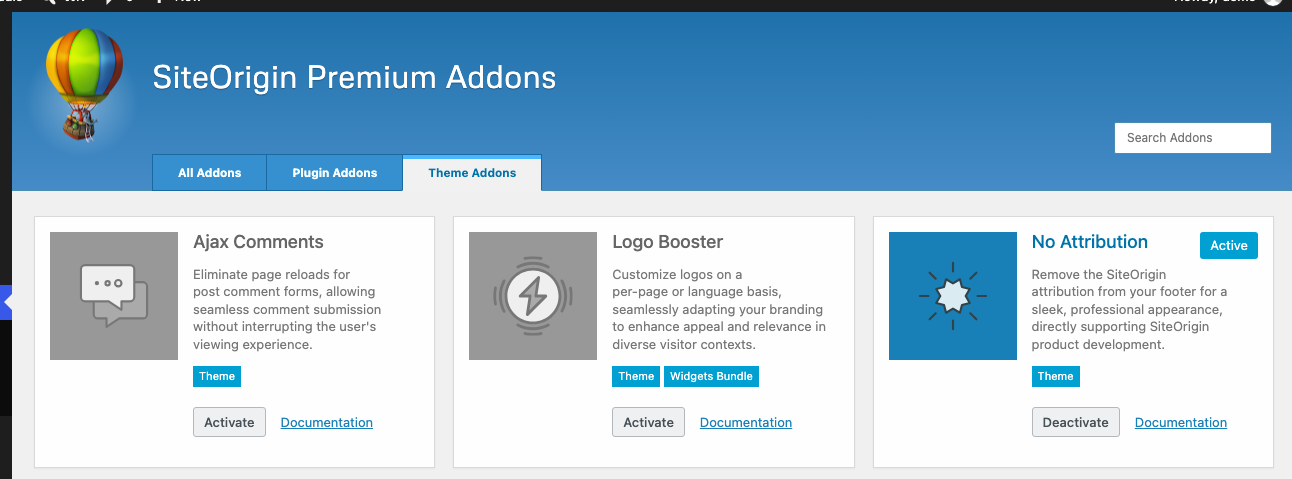
The Theme Addons
Ajax Comments
Visitors post comments without a page reload.
Logo Booster
Set a sticky logo, a different logo on each post or page, and a logo for each language.
No Attribution
Remove the “Theme by SiteOrigin” link from the footer.
Supported Themes
| Theme | Ajax Comments | Logo Booster | No Attribution |
|---|---|---|---|
| SiteOrigin Corp | Yes | Yes | Yes |
| SiteOrigin North | Yes | Yes | Yes |
| SiteOrigin Unwind | Yes | Yes | Yes |
| Vantage | Yes | Yes | Yes |
| Origami | Yes | No | Yes |
| Influence | Yes | No | Yes |
How Theme Addons Turn On and Off
Ajax Comments and No Attribution store their on and off state in your theme’s settings. When you click Activate or Deactivate, SiteOrigin Premium changes the theme setting. You can also change the setting in the theme’s options, for example at AppearanceCustomize > Theme Settings. In some themes, the setting is on by default, so the addon is already active. For example, in SiteOrigin Corp, No Attribution is active by default.
Logo Booster works like a plugin addon. Activate it on the Premium Addons page.