
 Page Builder
  Widgets Bundle
  SiteOrigin CSS
  Installer
 Custom Vantage Widgets
4 min read Updated
Vantage includes three widgets: the Circle Icon Widget, the Headline Widget and the Social Media Widget. In this page, they are the Vantage widgets. Newer versions of all three are in the SiteOrigin Widgets Bundle: the SiteOrigin Features Widget, the SiteOrigin Headline Widget and the SiteOrigin Social Media Buttons Widget. Use the Widgets Bundle versions on a new site. Keep the Vantage widgets if your site already uses them.
Where to Find the Widgets
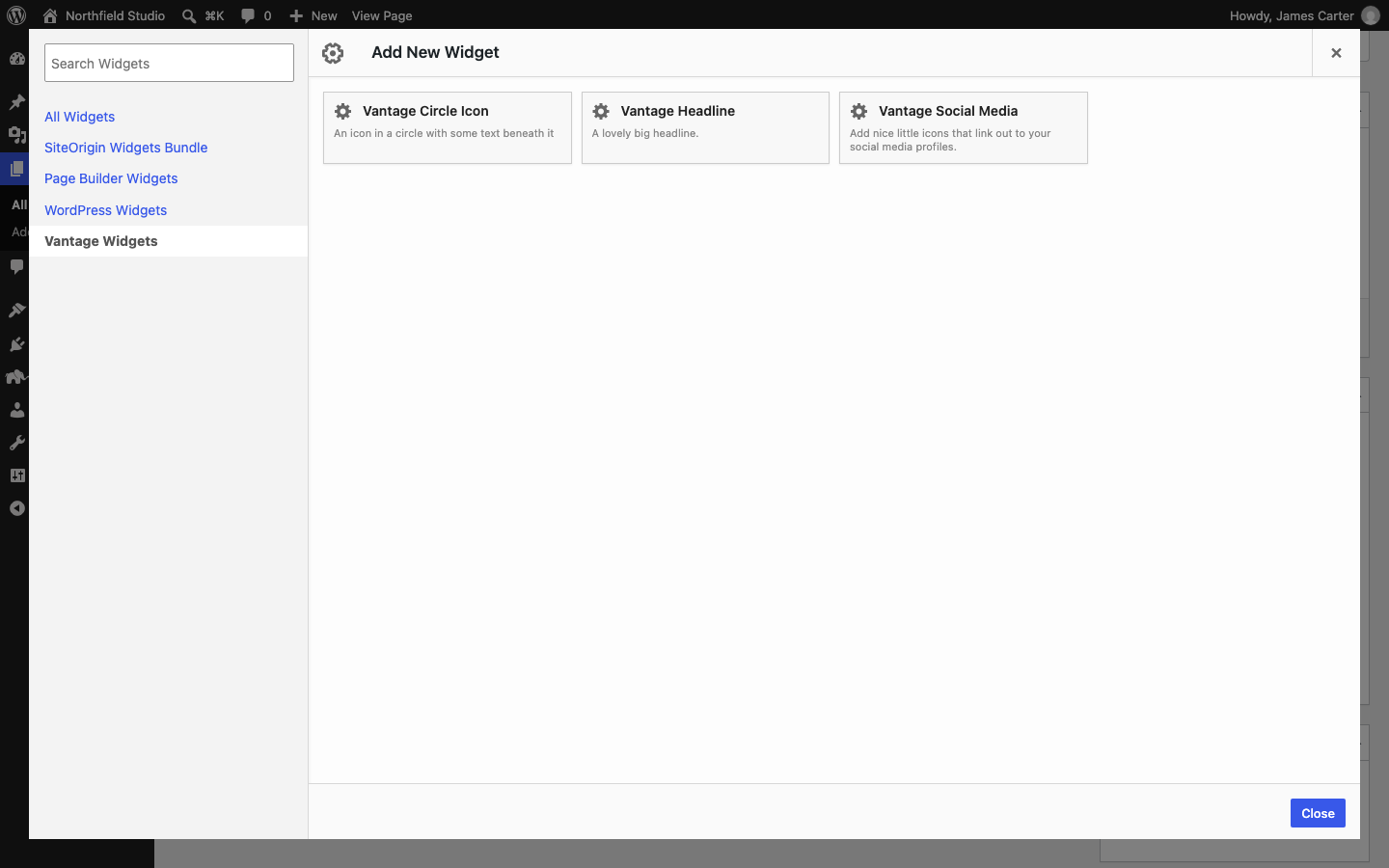
The widgets are in Page Builder. Click Add Widget, and then click the Vantage Widgets tab on the left. The names are Vantage Circle Icon, Vantage Headline and Vantage Social Media. You can also add them to a widget area in AppearanceWidgets.
Circle Icon Widget
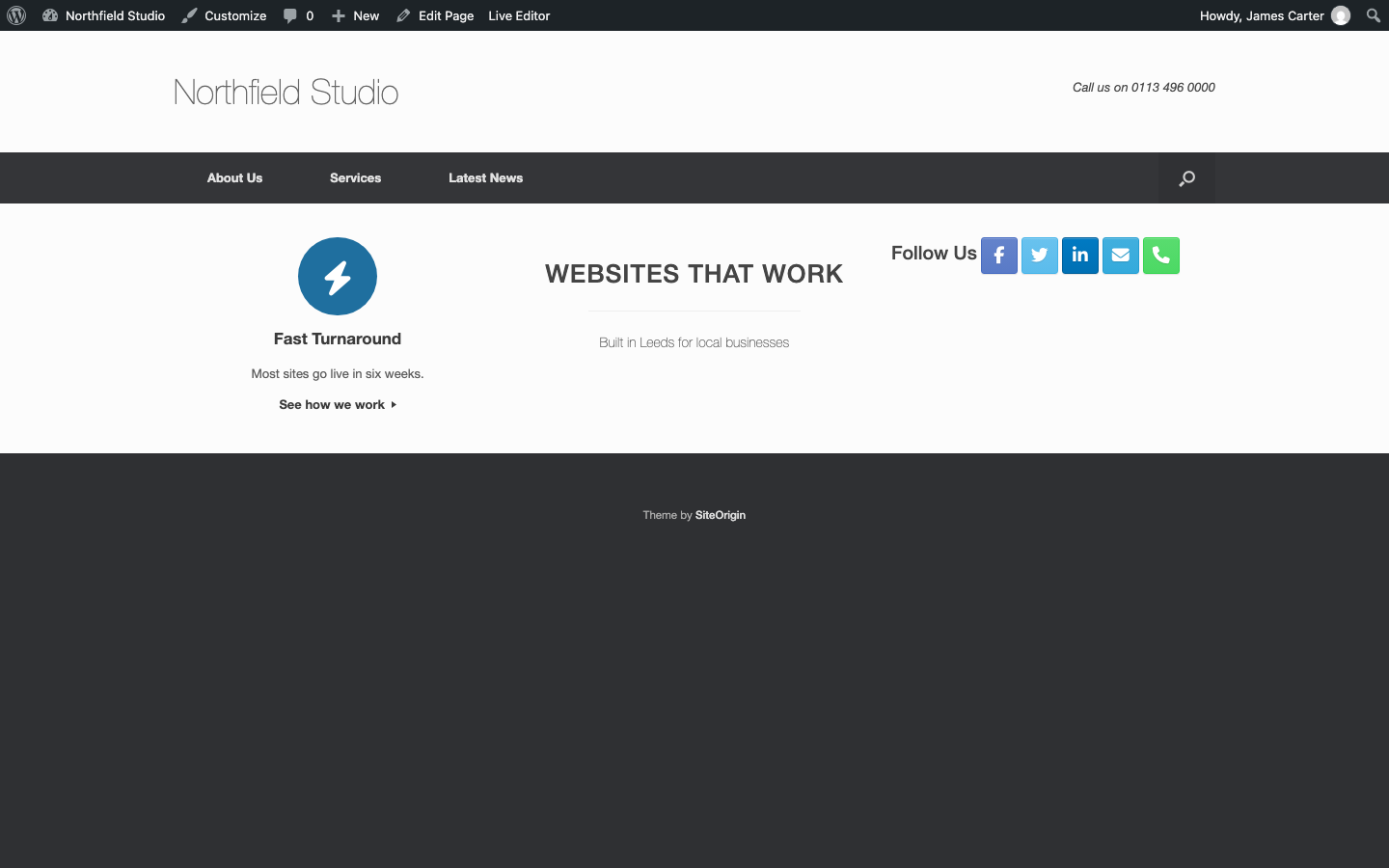
The Vantage Circle Icon Widget shows an icon in a circle, with a title and some text below it. It has these settings:
Title
The title of the widget.
Title Color
The color of the title.
Text
The main text of the widget.
Text Color
The color of the text and of the More link.
Icon
Choose an icon from the list. It has more than 2,000 Font Awesome 6 icons, grouped by category. To see the icons, go to the Font Awesome icons page.
Icon Color
The color of the icon.
Icon Background Color
The color of the circle.
Circle Background Image URL
The address of an image to use in the circle. To get the address of an image in your Media Library, open the image and copy its URL.
Icon Position
Top, Bottom, Left or Right. Default: Top.
Icon Size
Small, Medium or Large. Default: Small.
More Text
The text of the link at the end of the widget. It often invites the visitor to act. If you leave this empty, the link shows More Info.
More URL
The address of the More link. The link shows only when you enter an address.
Link title and icon to “More URL”
Turn this on to link the icon and the title to the More URL.
Open link in a new tab
Turn this on to open the links in a new browser tab. At the moment, the icon link opens a new tab each time. The title link and the More link open in one shared tab, so a second click replaces the first page in that tab. We track this on GitHub.
The colors that you set in the widget win over the Circle Icon Widget colors in Widgets in Theme Design.
Headline Widget
The Vantage Headline Widget shows a large headline, a thin line, and a sub headline. All text is centered.
Headline
A large headline in capital letters. The font size is 26 pixels.
Sub Headline
A smaller line below the thin line. The font size is 14 pixels.
The widget uses an H1 heading for the headline and an H3 heading for the sub headline. A page should have one H1 heading, so use this widget once on a page. The SiteOrigin Headline Widget lets you choose the heading level.
Social Media Widget
The Vantage Social Media Widget shows icons that link to your profiles. It has these settings:
Title
The title of the widget.
Icon Size
Large, Medium or Small. Default: Medium.
Networks
Enter the address of your profile page in the field of each network that you want to show. A network with an empty field does not show. These networks are available: Facebook, X (Twitter), Google Plus, LinkedIn, Dribbble, Behance, DeviantArt, Flickr, 500px, Instagram, Pinterest, Skype, YouTube, Vimeo, Medium, Tumblr, WordPress, GitHub, Bitbucket, Codepen, Mixcloud, SoundCloud, StumbleUpon, VK, RSS, Email and Phone. Google closed Google Plus, so its link no longer leads to a profile.
Open in New Window
Turn this on to open the links in a new browser tab.
The Email, Phone and Skype fields work in a different way:
Email
At the moment, enter the address with mailto: at the start, for example mailto:[email protected]. If you enter only the address, Vantage saves it as http://[email protected] and the link does not work.
Phone
At the moment, enter the number with tel: at the start. Use the international format: the plus sign, the country code, the area code and the number, with hyphens between the parts. For example, tel:+44-113-496-0000. If you enter only the number, the link does not work.
Skype
At the moment, the Skype field does not give a working link. Vantage removes skype: and callto: links when you save the widget, and it puts skype: in front of any other address. Leave the field empty.
We track the Email, Phone and Skype problem on GitHub.
To center the Social Media Widget in the footer, see CSS Snippets.