
 Page Builder
  Widgets Bundle
  SiteOrigin CSS
  Installer
 Home Page Slider
2 min read Updated
Vantage can show a slider under the menu, at the full width of the screen. By default, the front page shows a demo slider. You can remove it, or replace it with a slider from Smart Slider 3 or MetaSlider.
Requirements
- Optional: Smart Slider 3 or MetaSlider, to show your own slider.
Remove the Demo Slider
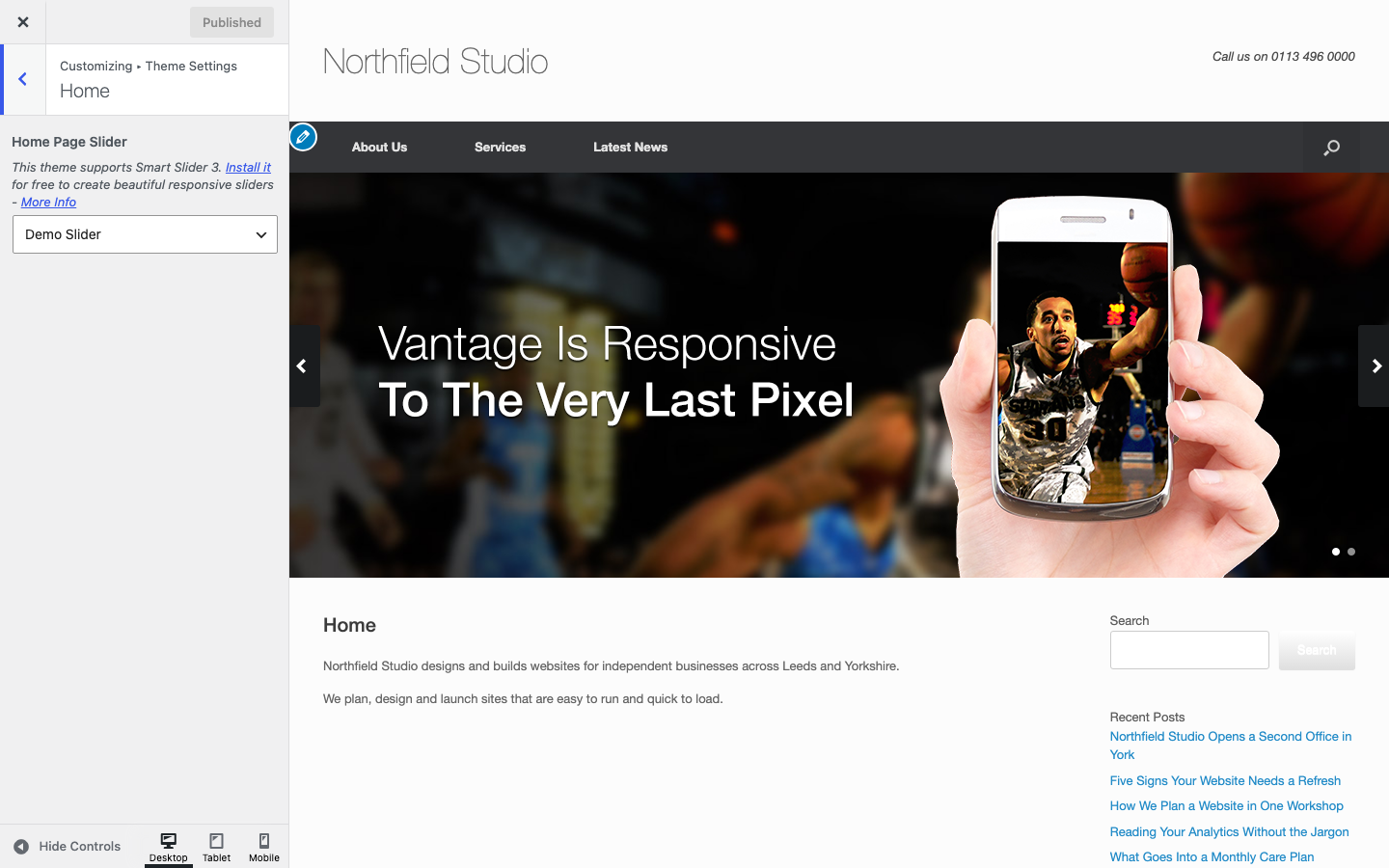
- Go to AppearanceCustomizeTheme SettingsHome.
- Set Home Page Slider to None.
- Click Publish.
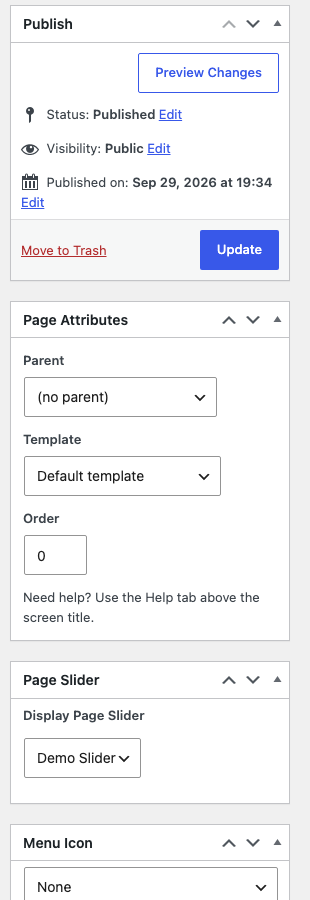
If you use a static front page, you can also edit that page and set Display Page Slider to None in the Page Slider box. Then click Update.
Use Your Own Slider
- Go to PluginsAdd Plugin and install Smart Slider 3 or MetaSlider. Activate it.
- Create your slider in the plugin.
- Go to AppearanceCustomizeTheme SettingsHome and choose your slider in Home Page Slider. Sliders are listed as Smart Slider: name or MetaSlider: name.
- If you chose a MetaSlider slider, tick Stretch in Stretch Home Slider to make the slider as wide as the screen. This setting is hidden for other sliders. Click Publish.
If you use a static front page, you can choose the slider in the Page Slider box of that page instead. Both places set the same value.
Add a Slider to Another Page
Edit any page and use the Page Slider box in the right column. Choose your slider in Display Page Slider and click Update. The Stretch Page Meta Slider option shows when you choose a MetaSlider slider.
To remove the gap between the slider and the menu, turn off Masthead Bottom Margin in the Page Settings box. See Page Settings.
Use Another Slider Plugin or Widget
To use a different slider, such as the SiteOrigin Hero Widget, build the page with Page Builder. For your home page, first set Home Page Slider to None. For other pages, keep Display Page Slider on None. If not, two sliders show.
- Edit the page and open the Page Builder tab.
- Click Add Row and add a row with one column.
- Click the row’s wrench icon and open Row Styles. Set Row Layout to Full Width Stretched. Set Padding to
0. - Click Add Widget and add the SiteOrigin Hero Widget, or a Text widget with your slider shortcode.
- Turn off Masthead Bottom Margin in the Page Settings box to remove the gap under the menu.
Polylang and WPML
The Home Page Slider is one setting for the whole site. The Page Slider box on a home page in another language cannot change it. To use a different slider for each language, add the slider with Page Builder. Use the steps in the section above.