
 Page Builder
  Widgets Bundle
  SiteOrigin CSS
  Installer
 Enhancing WooCommerce
2 min read Updated
Vantage works with WooCommerce. The theme needs no extra plugin for a mini cart.
Mini Cart in the Menu
Vantage has its own mini cart. To show it, go to AppearanceCustomizeTheme SettingsWooCommerce and turn on Mini Cart in Menu. The setting shows only when WooCommerce is active, and it is off by default. See WooCommerce settings.
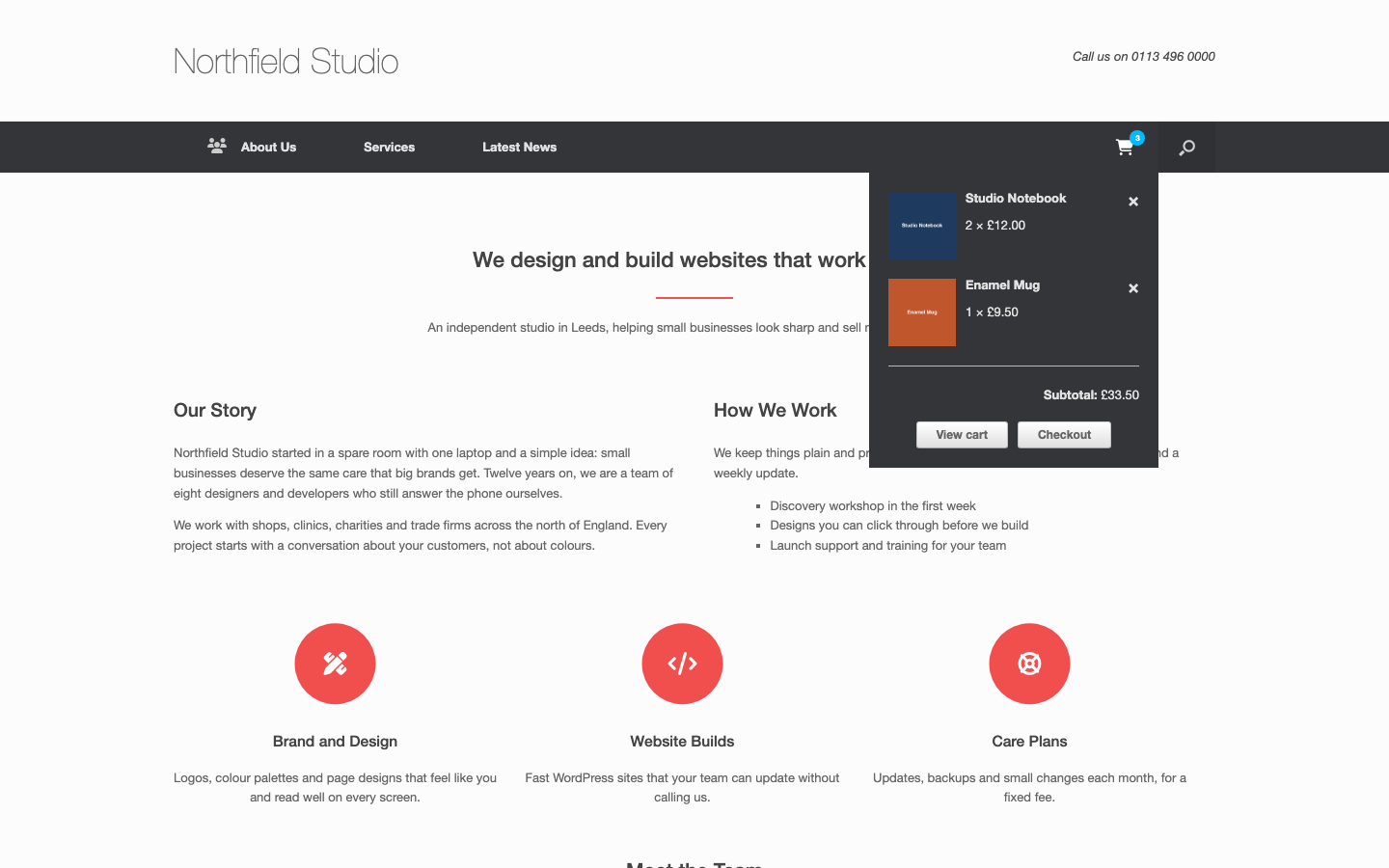
The mini cart shows a cart icon and the number of items in the cart. When a visitor points at it, a drop-down list shows the items, the subtotal, and the View cart and Checkout buttons. The mini cart does not show on the cart page and the checkout page.
If you use a cart plugin, such as Menu Cart for WooCommerce, keep Mini Cart in Menu off. Otherwise the menu shows two carts.
To hide the mini cart on more pages, use the vantage_display_mini_cart filter. For example, this code also hides it on the shop page:
add_filter( 'vantage_display_mini_cart', function( $show ) {
	return $show && ! is_shop();
} );
See Advanced Customizations for where to add code.
To change the colors of the mini cart, use the menu colors in Menu.
Shop Widget Area
Vantage adds a Shop widget area when WooCommerce is active. It shows in the sidebar of the WooCommerce shop pages. If the Shop area is empty, those pages show the widgets of the Sidebar area. See Widget Areas.
Page Settings for Products
The Page Settings box shows when you edit a product, so you can change the layout, the title and the margins of a single product. The box does not show for the page that you use as the Shop page. See Page Settings.
Checkout Button Colors
Vantage has color settings for the WooCommerce buttons that use the alt style, such as the checkout button. Go to AppearanceCustomizeTheme DesignButtons. See Buttons.
Product Gallery
Vantage supports the WooCommerce product gallery features: zoom, the lightbox and the slider.
Load More Products With Jetpack
The Jetpack Infinite Scroll module works with the shop and product category pages, the same way as with blog archives. Vantage sets Infinite Scroll to load with a button. The visitor clicks the button below the products to load more. The pages do not load more products by themselves when the visitor reaches the end of the list.
Each click adds as many products as one page of the shop shows. That number is the products per row times the rows per page. To change it, go to AppearanceCustomizeWooCommerceProduct Catalog.