
 Page Builder
  Widgets Bundle
  SiteOrigin CSS
  Installer
 Page
1 min read Updated
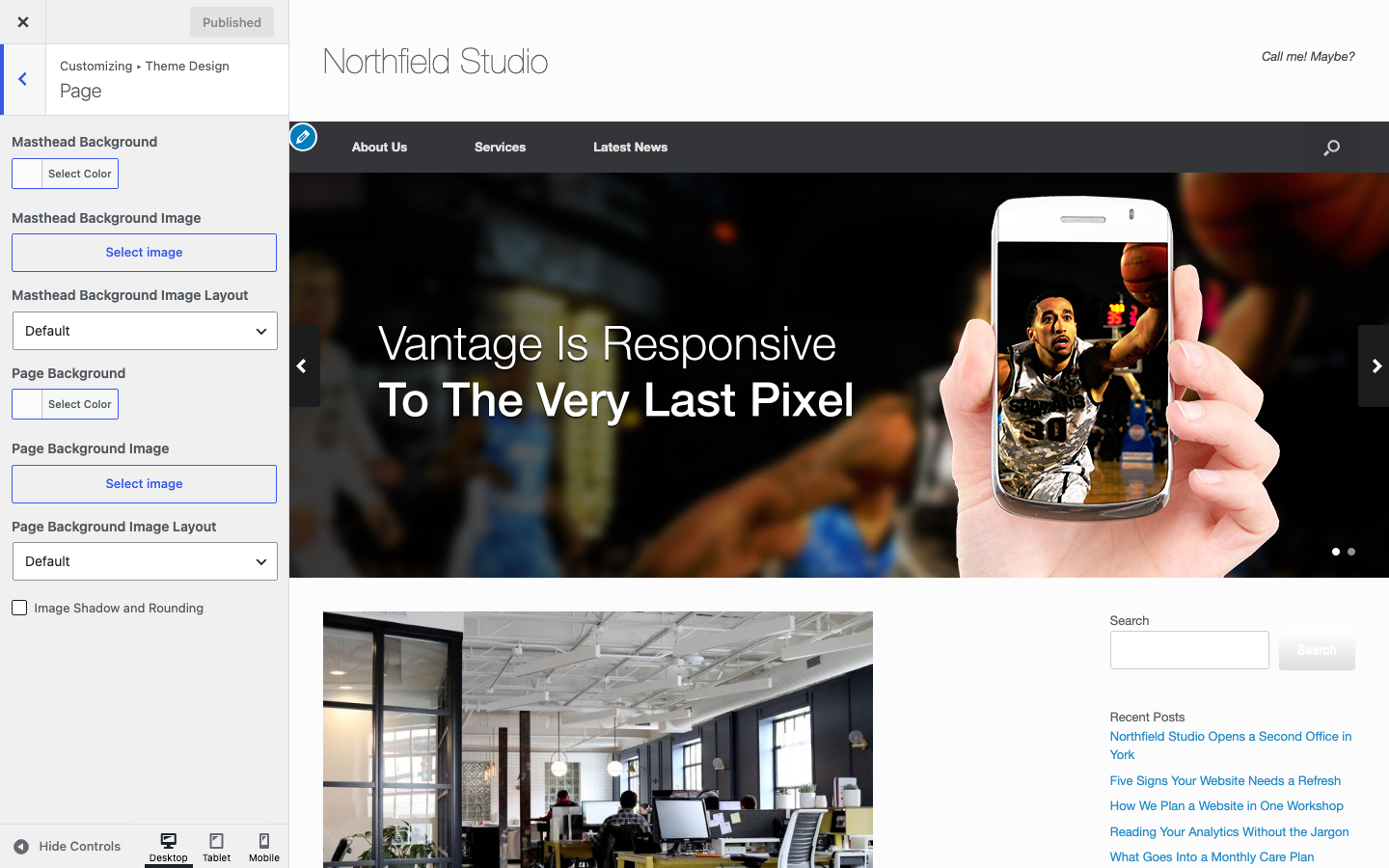
The Page section controls the backgrounds of the masthead and the page, and the look of images. Go to AppearanceCustomizeTheme DesignPage. The masthead is the header of your site.
Masthead
Masthead Background
Default: #fcfcfc.
Masthead Background Image
An image behind the masthead. Default: none.
Masthead Background Image Layout
How the image fills the masthead. See the layout options below. Default: Default.
Page
The page background is the area that holds the content and the sidebar. It is not the whole browser window.
Page Background
Default: #fcfcfc.
Page Background Image
An image behind the content area. Default: none.
Page Background Image Layout
How the image fills the page background. See the layout options below. Default: Default.
Image Shadow and Rounding
Adds a light shadow and rounded corners of 3px to images in the content area. It also applies in the block editor. Default: off.
Background Image Layout Options
- Default: Vantage adds no layout rule, so the browser tiles the image.
- Center: Centers the image and shows it once.
- Tile: Repeats the image.
- Cover: Scales the image to cover the whole area.
The Footer section has the same options for the footer background image. To set a background for the whole site, use the Boxed layout in Layout.