
 Page Builder
  Widgets Bundle
  SiteOrigin CSS
  Installer
 Footer
1 min read Updated
Footer settings control the colors and background of the footer. Go to AppearanceCustomizeTheme DesignFooter.
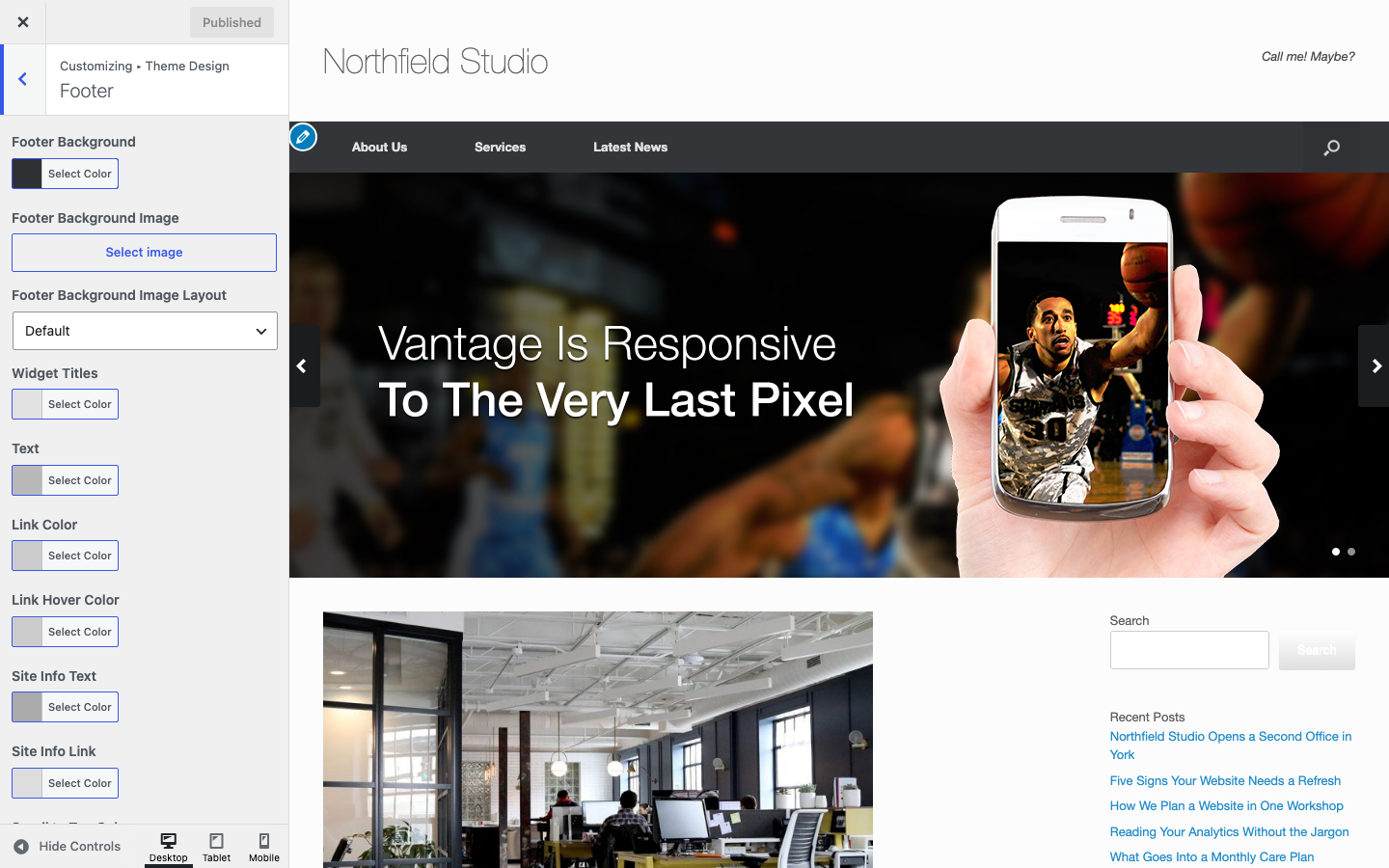
Background
Footer Background
Default: #2f3033.
Footer Background Image
An image behind the footer. Default: none.
Footer Background Image Layout
Choose Default, Center, Tile or Cover. See Page for what each option does. Default: Default.
Footer Widgets
Widget Titles
The color of the titles of footer widgets. Default: #e2e2e2.
Text
The color of footer widget text. It also colors the border of the links in a footer Navigation Menu widget. Default: #b9b9b9.
Link Color
Default: #cccccc.
Link Hover Color
Default: #cccccc.
Site Information
Site Info Text
The color of the text under the footer widgets. You write this text in the Site Information Text setting. See General. Default: #aaaaaa.
Site Info Link
The color of links in that text. Default: #dddddd.
Scroll to Top
These settings apply to the Scroll to Top button. You turn the button on with Display Scroll To Top in Navigation.
Scroll to Top Color
The color of the arrow. Default: #ffffff.
Scroll to Top Background
Default: #000000.
To add widgets to the footer, see Widget Areas.