
 Page Builder
  Widgets Bundle
  SiteOrigin CSS
  Installer
 Fonts
2 min read Updated
Fonts settings control the font families, sizes and text colors of your site. Go to AppearanceCustomizeTheme DesignFonts.
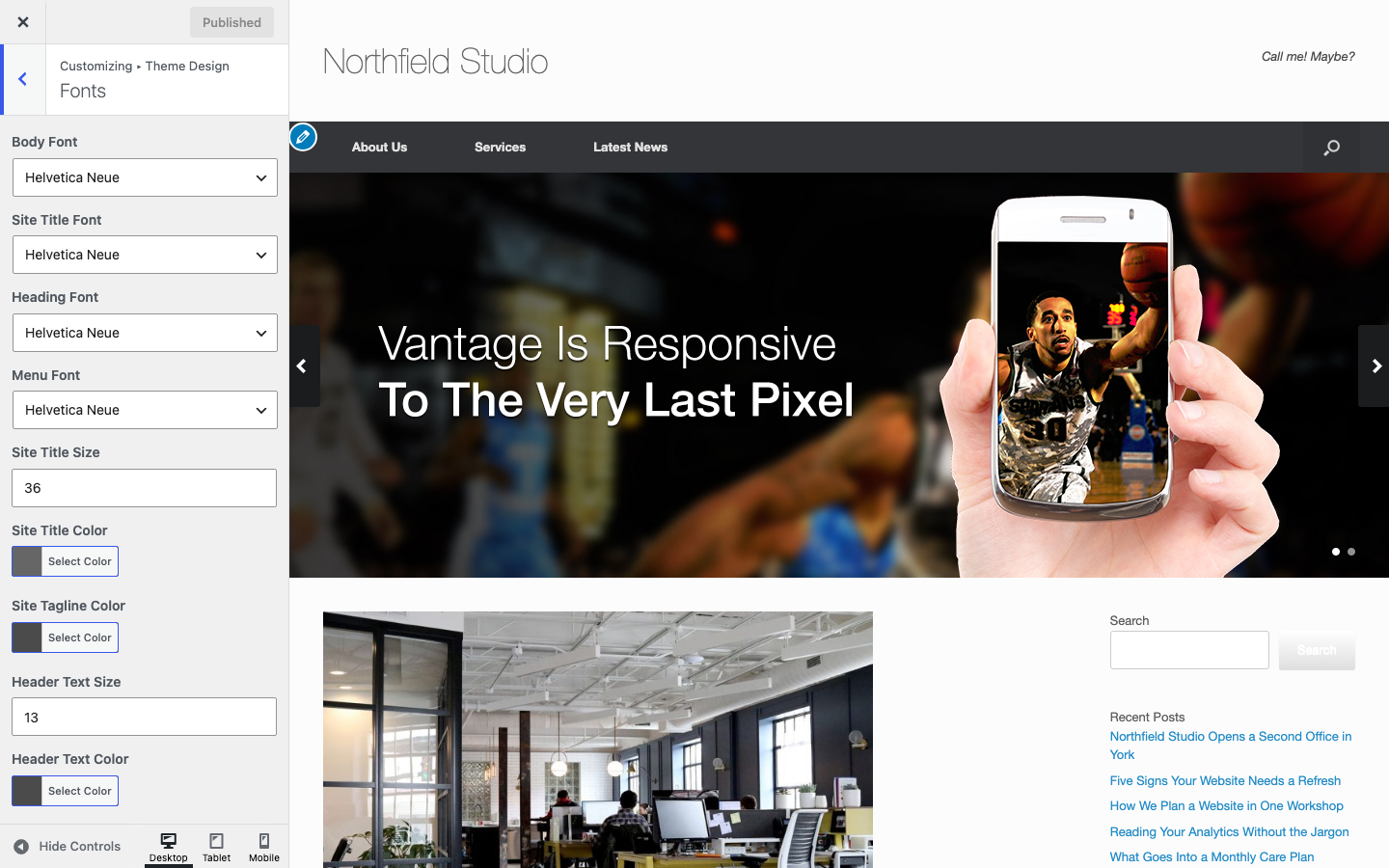
Font Families
Each font setting shows a list of web safe fonts and Google Fonts. After you pick a font, use Variant and Subset to choose the weight, style and character set.
Body Font
The main font of your site, including buttons and form fields. Default: Helvetica Neue.
Site Title Font
The font of the site title. Without a logo, Vantage displays the site title. Default: Helvetica Neue.
Heading Font
The font of headings h1 to h6. Default: Helvetica Neue.
Menu Font
The font of the main menu and the mobile menu. Default: Helvetica Neue.
Site Title and Header Text
Site Title Size
The size of the site title. With the Logo In Menu masthead layout, Vantage shows the title at 60 percent of this size. Default: 36px.
Site Title Color
Default: #666666.
Site Tagline Color
The color of the site tagline. Default: #4b4b4b.
Header Text Size
The size of the header text beside the logo. This setting also changes the tagline size. The header text shows only when the Header widget area is empty. Default: 13px.
Header Text Color
The color of the header text and the tagline. Default: #4b4b4b.
Page Content
Page Title Size
The size of the title on pages and posts. Default: 20px.
Page Title Color
Default: #3b3b3b.
Content Size
The text size of the main content. Default: 13px.
Sidebar Content Size
The text size of sidebar widgets. Default: 13px.
Meta Text Color
The color of the text under the post title and the categories and tags under the post. Default: #8f8f8f.
Meta Text Link Color
The color of links in the meta text. Default: #5e5e5e.
Content Color
The text color of the main content. Default: #666666.
Content Heading Color
The color of headings h1 to h6 in the content. Default: #444444.
Content Heading 1 Size to Content Heading 6 Size
The size of each heading level in the content. Defaults: 22px, 21px, 20px, 18px, 16px and 14px.