
 Page Builder
  Widgets Bundle
  SiteOrigin CSS
  Installer
 Logo
2 min read Updated
Logo settings control the logo, site title, tagline and header text in your header. Go to AppearanceCustomizeTheme SettingsLogo.
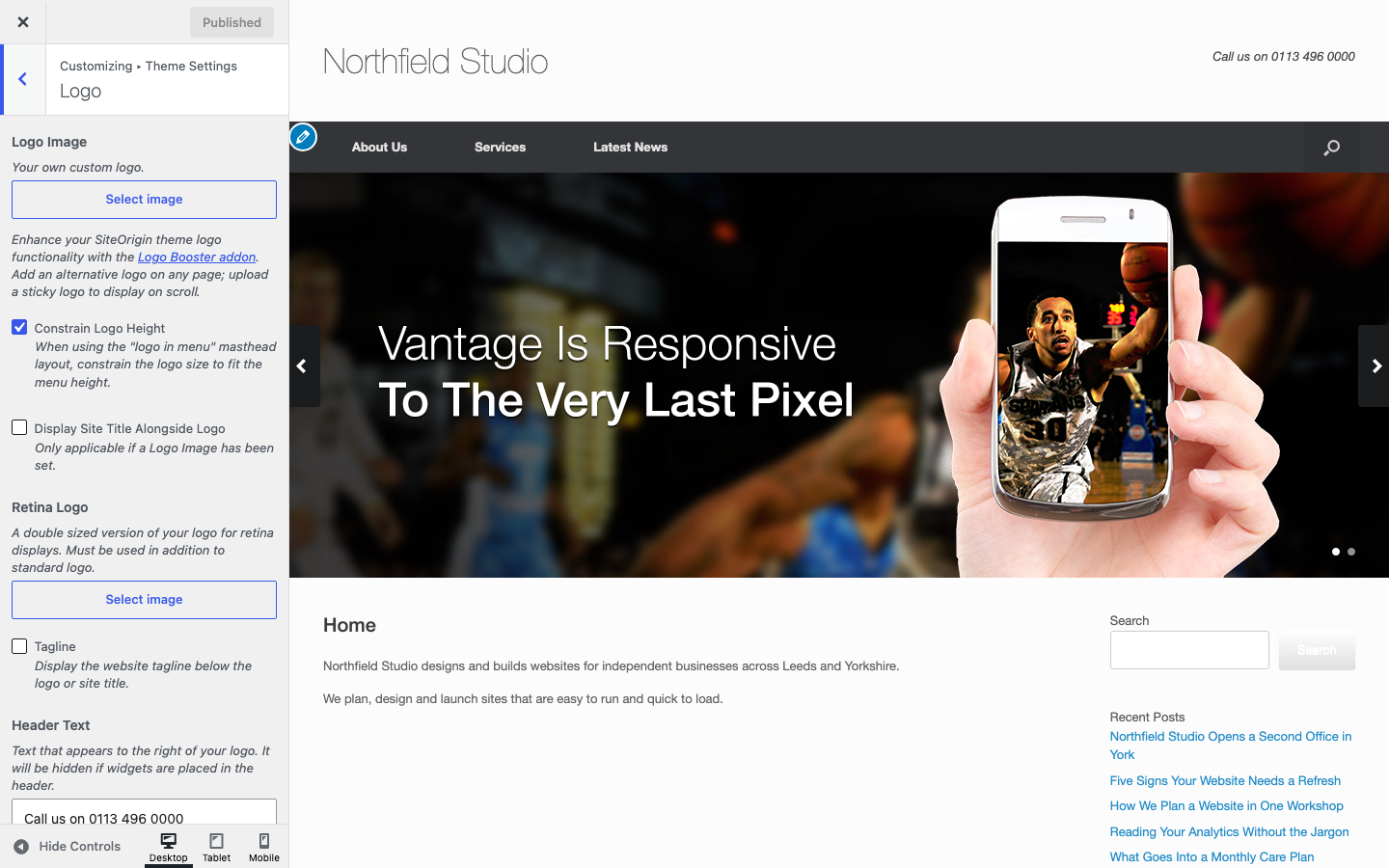
Add a Logo
Without a logo, Vantage shows your site title as text. To add a logo:
- Go to AppearanceCustomizeTheme SettingsLogo.
- Under Logo Image, click Select image. Choose an image from the Media Library, or upload a new one.
- Click Publish.
Vantage also supports the WordPress logo at AppearanceCustomizeSite Identity. If both are set, the Logo Image in Theme Settings is used.
Settings
Logo Image
Your own custom logo. Default: none.
Constrain Logo Height
Applies to the Logo In Menu masthead layout. Keeps the logo small enough to fit the menu height. Default: on.
Display Site Title Alongside Logo
Shows your site title next to the logo. It applies only when a logo is set. Default: off.
Retina Logo
A version of your logo at double size for high-density screens. Use it together with the Logo Image. Default: none.
Tagline
Shows your site tagline below the logo or site title. Default: off.
Header Text
Text that appears to the right of your logo. It is hidden when you add widgets to the Header widget area. Default: Call me! Maybe?
No Widget Overlay
Shows header widgets and the header text below the logo, not beside it. Default: off.
A Logo Booster teaser can also show in this section. The Logo Booster Addon is part of SiteOrigin Premium. It lets you set a different logo on any page and a sticky logo that shows when visitors scroll.
Site Title and Tagline
Go to AppearanceCustomizeSite Identity to change the Site Title and Tagline. Click Publish. To show the tagline in your header, turn on Tagline in the Logo section.
Where the Header Text Shows
- The Header Text shows on the right of the logo in the default masthead layout.
- Widgets in the Header widget area replace the Header Text. See Widget Areas.
- The Logo In Menu masthead layout does not show the Header Text. See Layout.
To edit the Vantage logo, download the Photoshop file.