
 Page Builder
  Widgets Bundle
  SiteOrigin CSS
  Installer
 Theme Settings
1 min read Updated
Corp keeps its settings in the Customizer. Go to AppearanceCustomizeTheme Settings. Each section has its own page in this documentation.
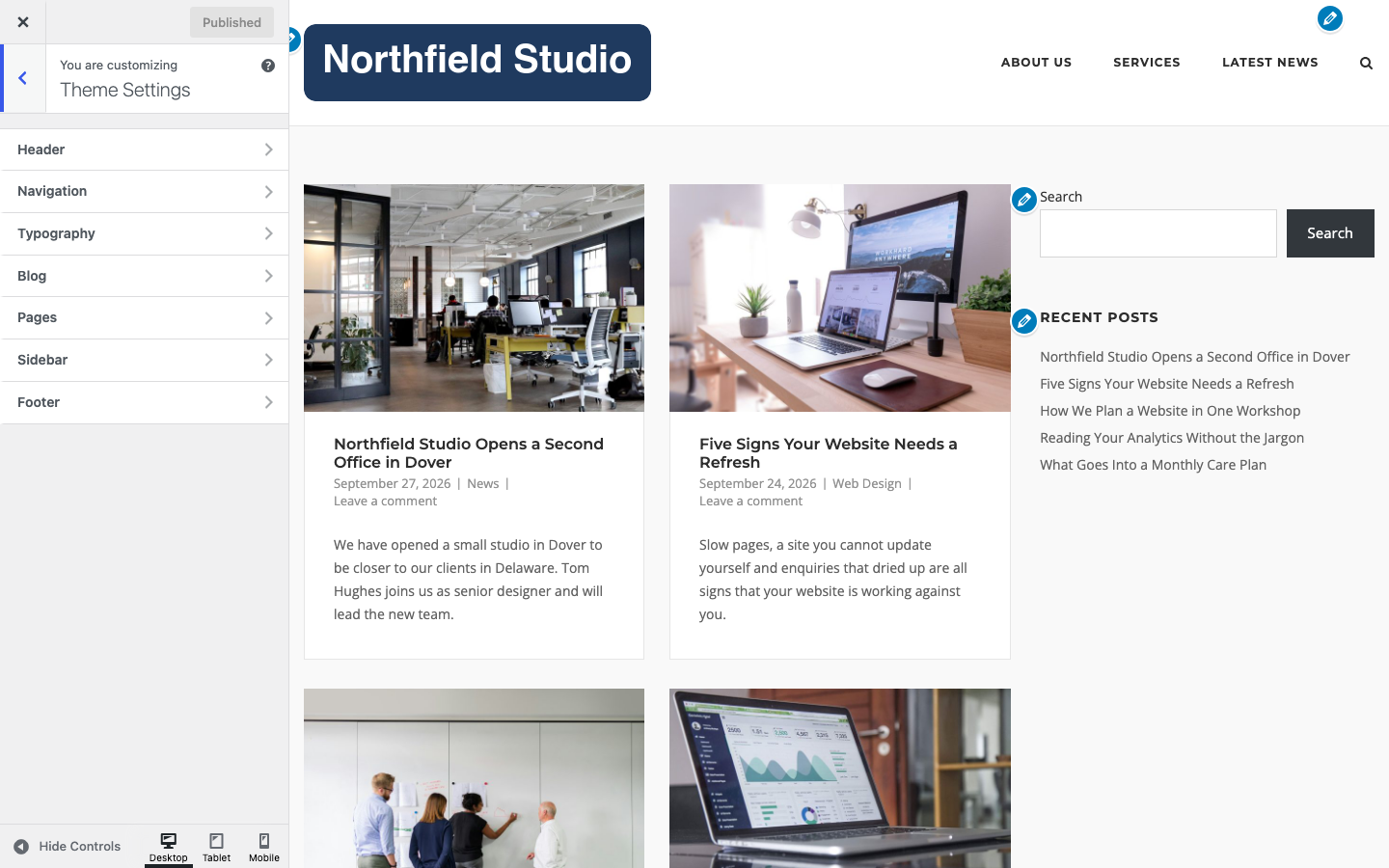
Sections
- Header: retina logo, tagline, header layout, sticky header, colors and spacing.
- Navigation: header menu, mobile menu, menu search, post navigation, scroll to top and menu colors.
- Typography: fonts, font sizes and text colors.
- Blog: archive layout, excerpts and post details.
- Pages: the featured image on pages.
- Sidebar: sidebar position and width.
- Footer: footer text, social icons, colors and spacing.
- WooCommerce: shop sidebar, product gallery, mini cart, Quick View and Add to Cart. This section shows only when WooCommerce is active.
Other Customizer Panels
- Page Template Settings sets the layout for archives, search results and the 404 page. See Page Template Settings.
- Site Identity holds the logo, site title, tagline and site icon. See Logo.
- Colors sets the page background color. Default: #f9f9f9. Background Image adds a background image.
- Menus, Widgets, Homepage Settings and Additional CSS are WordPress panels. See Menus, Widget Areas and CSS Snippets.
How Settings Work
- Most fields update the preview as you change them. Click Publish to save.
- Each page in this documentation lists the default value of every setting.
- Some settings, such as Ajax Comments and Display SiteOrigin Attribution, show Available in Premium. They need SiteOrigin Premium.