
 Page Builder
  Widgets Bundle
  SiteOrigin CSS
  Installer
 Branding
2 min read Updated
The Branding section sets the logo, the site description, the footer attribution and the two accent colors. Go to AppearanceCustomizeTheme SettingsBranding.
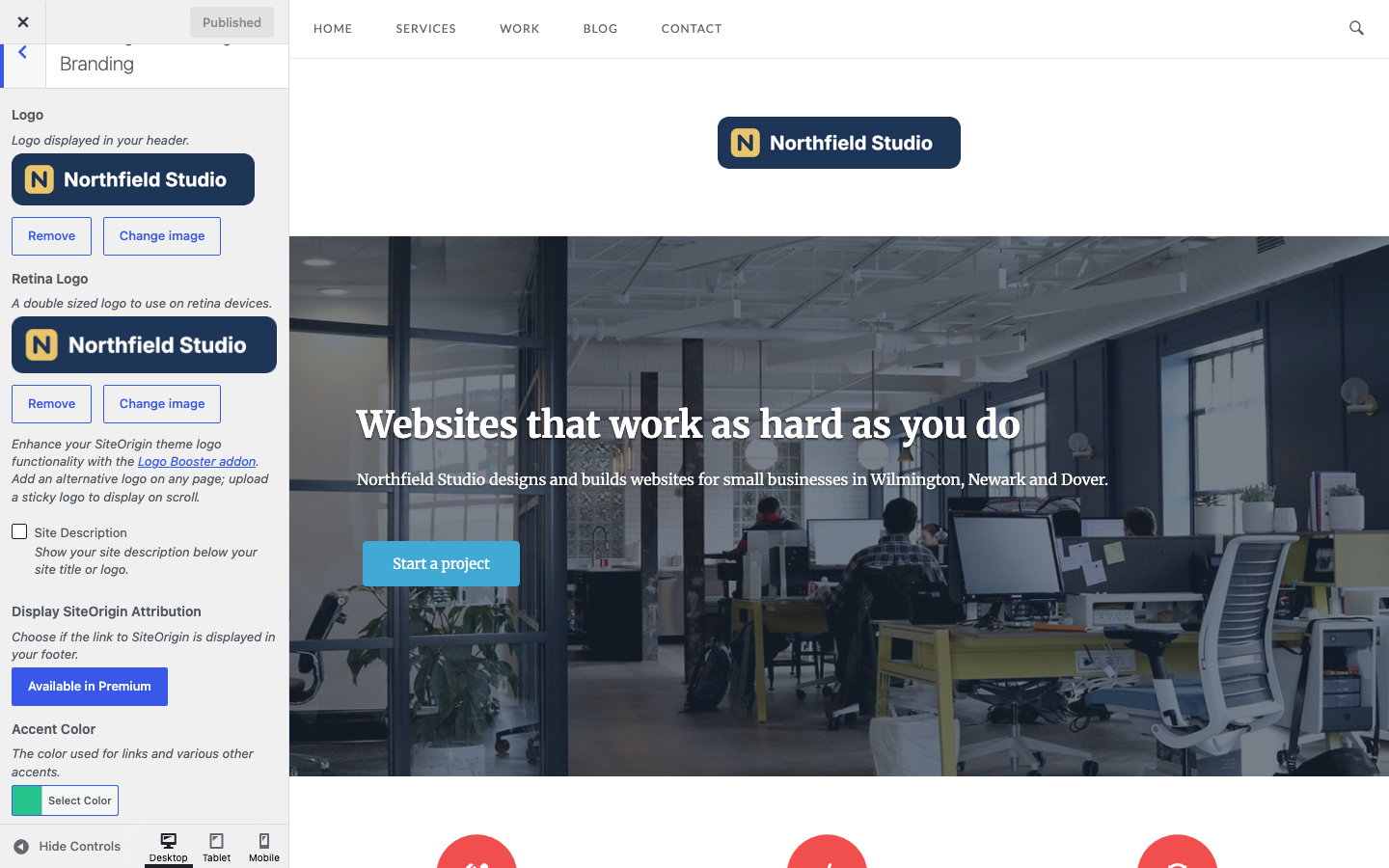
Logo
Logo
The logo in the header. This logo takes priority over the logo at AppearanceCustomizeSite Identity, and Unwind uses the Site Identity logo only while this field is empty. If neither is set, the header shows the site title as text. Default: none.
Retina Logo
A second copy of the logo for high pixel density screens. It must be double the size of the regular logo: for a 200 x 100 pixel logo, upload a 400 x 200 pixel image. It works only with the Logo above, not with the Site Identity logo. Default: none.
Without SiteOrigin Premium, a note below Retina Logo links to the Logo Booster Addon, which adds an alternative logo for any page and a sticky logo that shows on scroll. The Logo Booster Addon needs SiteOrigin Premium.
Site Description
Show the tagline below the site title or logo. Set the tagline at SettingsGeneral or in AppearanceCustomizeSite Identity. Default: off.
The Masthead widget area replaces the logo and the site description in every header design except Menu inline with logo. See Header.
Attribution
Display SiteOrigin Attribution
The footer shows a “Theme by SiteOrigin” link. To remove it, you need the No Attribution Addon from SiteOrigin Premium. Without Premium, the setting shows an Available in Premium button. With Premium active, the setting is a checkbox; activate the No Attribution Addon, then clear the checkbox to remove the link. Default: on. See No Attribution.
Accent Colors
Accent Color
The color for links, the blockquote border, button hover borders, the background of the current page number in pagination and the hover background of tag cloud links. Default: #24c48a.
Dark Accent Color
A darker version of the accent color. Unwind uses it for link hover colors and for WooCommerce button hover backgrounds. Default: #00a76a.
Both color fields update the preview as you change them. To set the text colors, see Fonts.