
 Page Builder
  Widgets Bundle
  SiteOrigin CSS
  Installer
 Integrated Plugins
2 min read Updated
North has built-in support for several popular plugins. This page lists those plugins, what North does with each one, and the SiteOrigin plugins North recommends.
Page Builder by SiteOrigin
Build layouts with Page Builder by SiteOrigin. North sets two Page Builder defaults. It turns on the custom home page screen at AppearanceHome Page, and it turns on Responsive Layout unless you turn on Disable Responsive Layout in North. If Page Builder is not active, the same screen offers to install it. See Custom Home Page.
SiteOrigin Widgets Bundle
The SiteOrigin Widgets Bundle adds widgets for Page Builder and for widget areas.
SiteOrigin CSS
Use SiteOrigin CSS to add custom CSS with a visual editor. See CSS Snippets.
WooCommerce
North has its own templates and styles for WooCommerce. It adds a WooCommerce section to Theme Settings, a Shop Sidebar widget area, a cart in the main menu and a Quick View window. It also shows the store notice in the top bar. See WooCommerce.
Breadcrumbs
North shows breadcrumbs from Breadcrumb NavXT, Yoast SEO, Rank Math and All in One SEO. If more than one is active, North uses the first in this list. If the plugin has a breadcrumbs setting, turn it on there. North shows the breadcrumbs on posts, pages, archives, search results and WooCommerce product and shop pages.
Jetpack Infinite Scroll
North supports the Infinite Scroll feature of Jetpack. It loads nine more posts at a time on the blog and archive pages, and nine more products on WooCommerce shop pages. To use it, turn on Infinite Scroll in the Jetpack settings. See Infinite Scroll.
Max Mega Menu and UberMenu
For a mega menu, use Max Mega Menu or UberMenu on the Primary Menu location. When UberMenu is active, or Max Mega Menu is on for the Primary Menu, North does not show its own mobile menu button or menu cart, because these plugins provide their own. The North search icon does not show while either plugin is active.
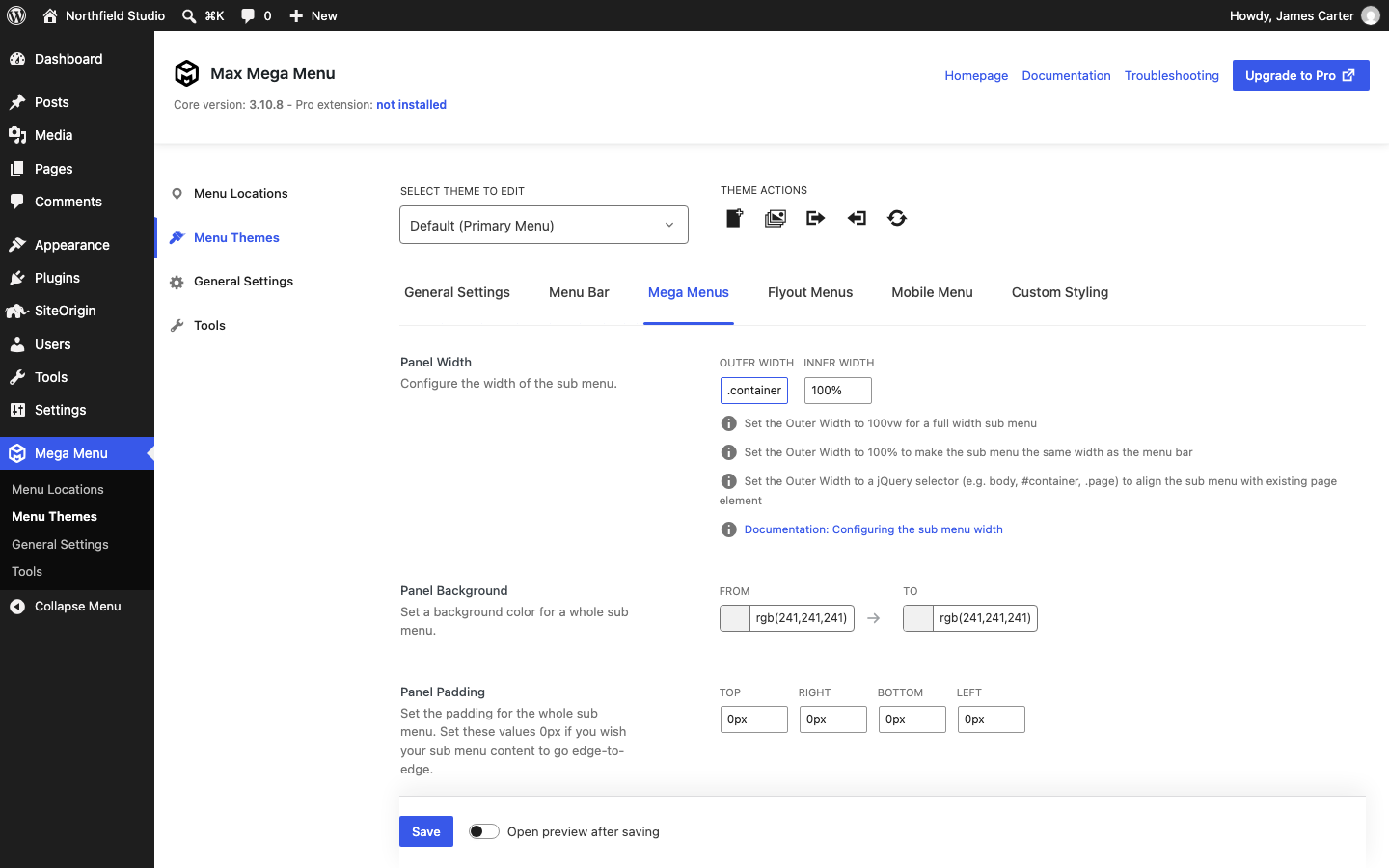
To make Max Mega Menu drop downs as wide as the North content, go to Mega MenuMenu Themes and open the Mega Menus tab. In Panel Width, set Outer Width to .container, then save. For more, see the Max Mega Menu documentation.
Contact Form 7
North styles the forms of Contact Form 7 to match the theme fonts and colors.
Lazy Load Plugins
North keeps the logo out of lazy loading in Jetpack, Smush and LiteSpeed Cache, so the logo loads at once.
SiteOrigin Premium
SiteOrigin Premium has three addons for North: the Ajax Comments Addon, the No Attribution Addon and the Logo Booster Addon.