
 Page Builder
  Widgets Bundle
  SiteOrigin CSS
  Installer
 WooCommerce
2 min read Updated
The WooCommerce section sets the shop columns, the header cart, the Quick View button and the shop sidebar. Go to AppearanceCustomizeTheme SettingsWooCommerce. The section shows only when the WooCommerce plugin is active.
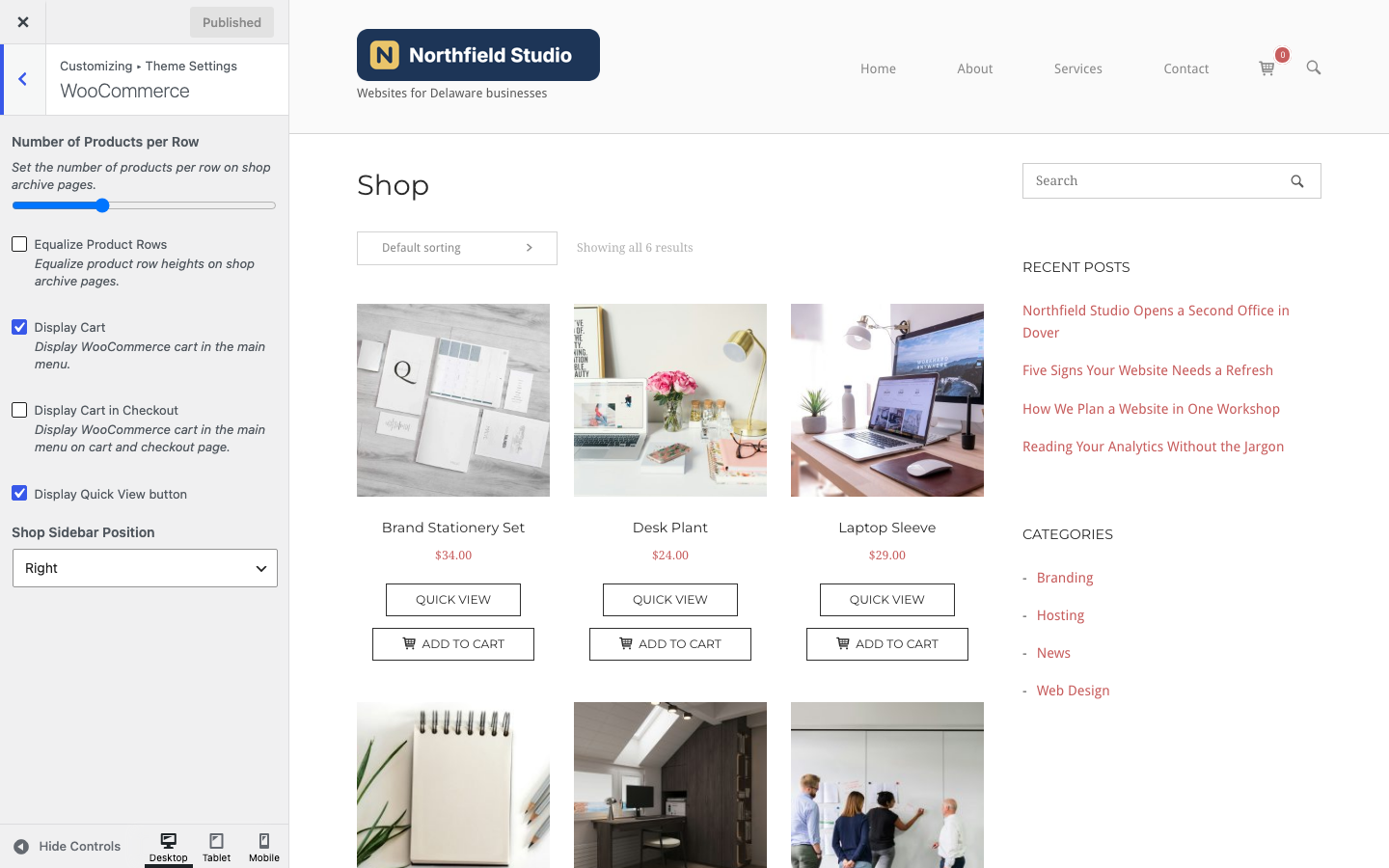
To set up your store, use WooCommerceSettings and AppearanceCustomizeWooCommerce. This page covers only the settings that North adds.
Shop Pages
Number of Products per Row
The number of products in each row on the shop and product archive pages. Choose 2 to 5. Default: 3.
Equalize Product Rows
Give every product in a row the same height on the shop and product archive pages. Default: off.
Display Quick View button
Add a Quick View button next to the Add to Cart button of each product on the shop and product archive pages. Default: off.
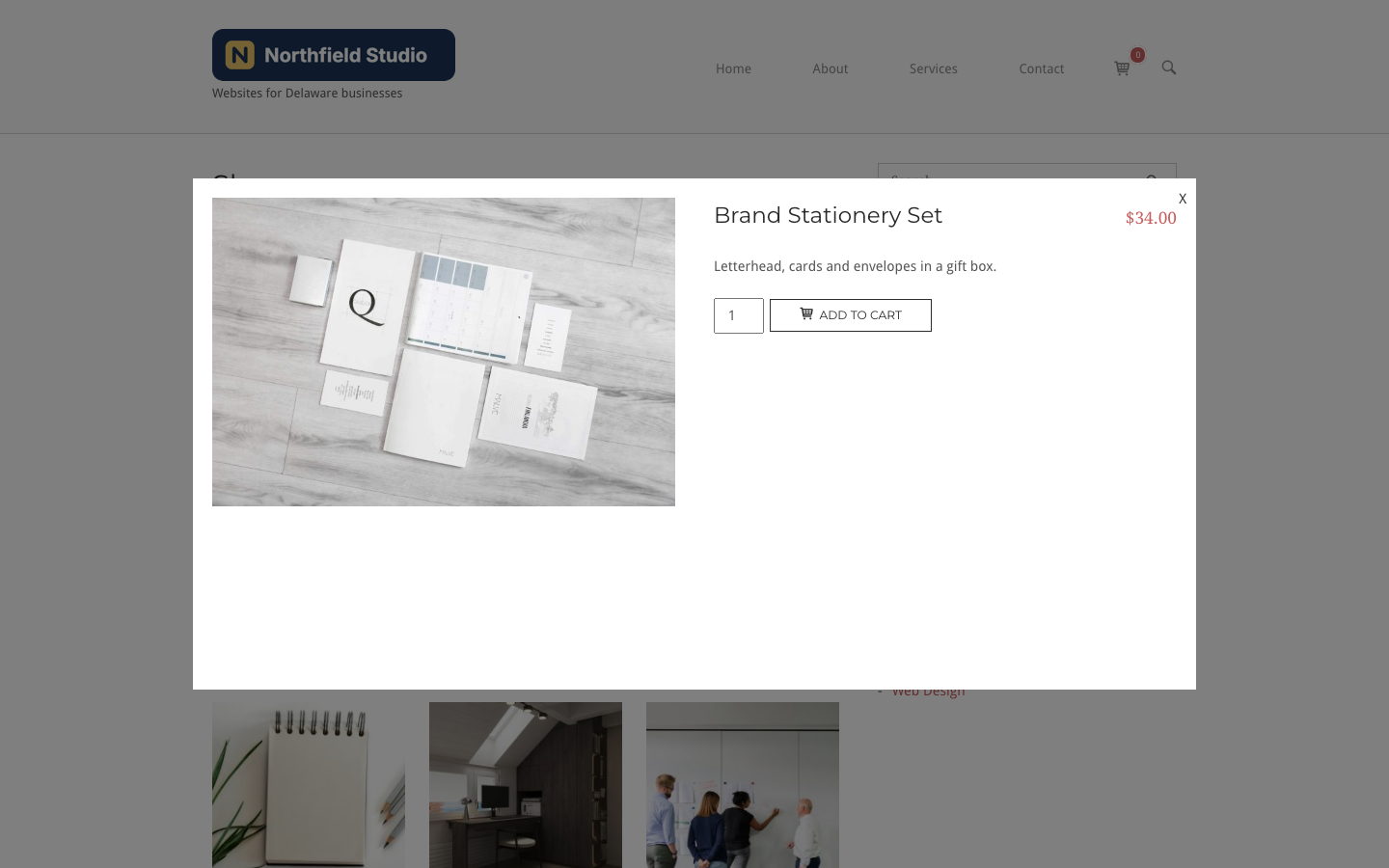
A click on Quick View opens the product in a window over the page. The window shows the product image, the price, the title with a link to the product page, the rating, the short description and the Add to Cart form.
Header Cart
Display Cart
Show a cart icon with the number of items at the end of the header menu, with a drop down that lists the items in the cart. The mobile menu shows a cart link too. Display Cart does not apply to the Cart and Checkout pages, which have their own setting below. Default: on.
Display Cart in Checkout
Show the header cart on the Cart and Checkout pages. Default: off.
North hides the header cart when UberMenu is active, or when Max Mega Menu is enabled for the Primary Menu location. See Integrated Plugins.
Shop Sidebar
Shop Sidebar Position
Show the shop sidebar on the Left or the Right, or choose None to remove it. Default: Right.
North adds a Shop Sidebar widget area when WooCommerce is active. You can add widgets at AppearanceWidgets. It shows on the shop, product archive and single product pages. While the Shop Sidebar is empty, these pages show the widgets from the Main Sidebar instead. The sidebar shows only when the page layout is Default or Full Width, With Sidebar. Its width comes from Sidebar Width in Page Structure.
The Cart and Checkout pages show the Main Sidebar, and the Left and Right options also set its side on those pages.
Store Notice
When you turn on the store notice at AppearanceCustomizeWooCommerceStore Notice, North shows it in the top bar above the header, with a Dismiss link. See Header.
Related
- Widget Areas for the Shop Sidebar.
- Page Settings to change the layout of the Shop, Cart and Checkout pages.
- CSS Snippets for WooCommerce style changes.