
 Page Builder
  Widgets Bundle
  SiteOrigin CSS
  Installer
 Navigation
2 min read Updated
The Navigation section controls the menu search, the sticky menu, post navigation, the scroll to top button and smooth scrolling. Go to AppearanceCustomizeTheme SettingsNavigation. To add a menu to the header, see Menu Locations.
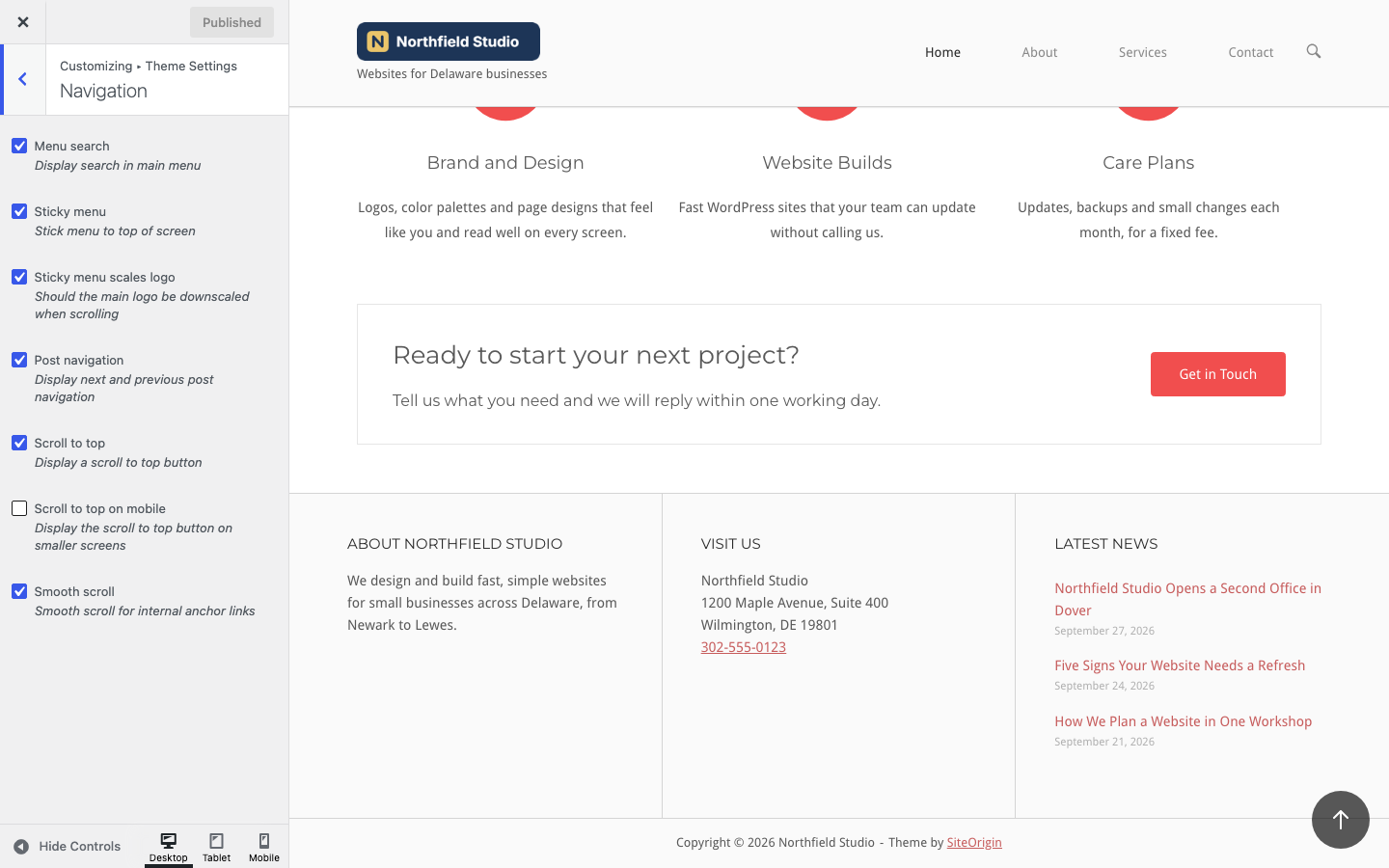
Menu search
Show a search icon at the end of the header menu. A click on the icon opens a search bar over the header, and the mobile menu gets a search field too. Default: on.
Sticky menu
Keep the header at the top of the screen as visitors scroll. Default: on. To turn it off on small screens only, see Advanced Customizations.
Sticky menu scales logo
Make the logo and the header padding smaller as visitors scroll down, so the sticky header takes less space. By default, the logo shrinks to about 75% of its size over the first 48 pixels of scrolling. If you turn off Sticky menu, turn this setting off too. Default: on. To change the scale, see Advanced Customizations.
Post navigation
Show links to the previous and next post below single posts. Default: on.
Scroll to top
Show a round button in the bottom right corner after visitors scroll past the header. A click takes them back to the top of the page. The button does not show on pages that use the Stripped layout. Default: on.
Scroll to top on mobile
Show the scroll to top button on screens 600 pixels wide or less. When it is off, the button hides on those screens. Default: off.
Smooth scroll
Scroll smoothly to the target when visitors click a link to an anchor on the same page, such as #contact. With the sticky menu on, North stops the scroll below the header so it does not cover the target. Default: on.
Mega Menu Plugins
When UberMenu is active, or Max Mega Menu is enabled for the Primary Menu location, the plugin outputs the header menu, and North does not output its own mobile menu button or header cart. North hides its search icon whenever either plugin is active. See Integrated Plugins.
Related
- Icons to replace the search, close and scroll to top icons.
- Fonts for the menu font and the menu text colors.
- Responsive for the mobile menu.