
 Page Builder
  Widgets Bundle
  SiteOrigin CSS
  Installer
 Blog
2 min read Updated
The Blog section sets what the blog and archive pages show for each post, and which details show on single posts. Go to AppearanceCustomizeTheme SettingsBlog.
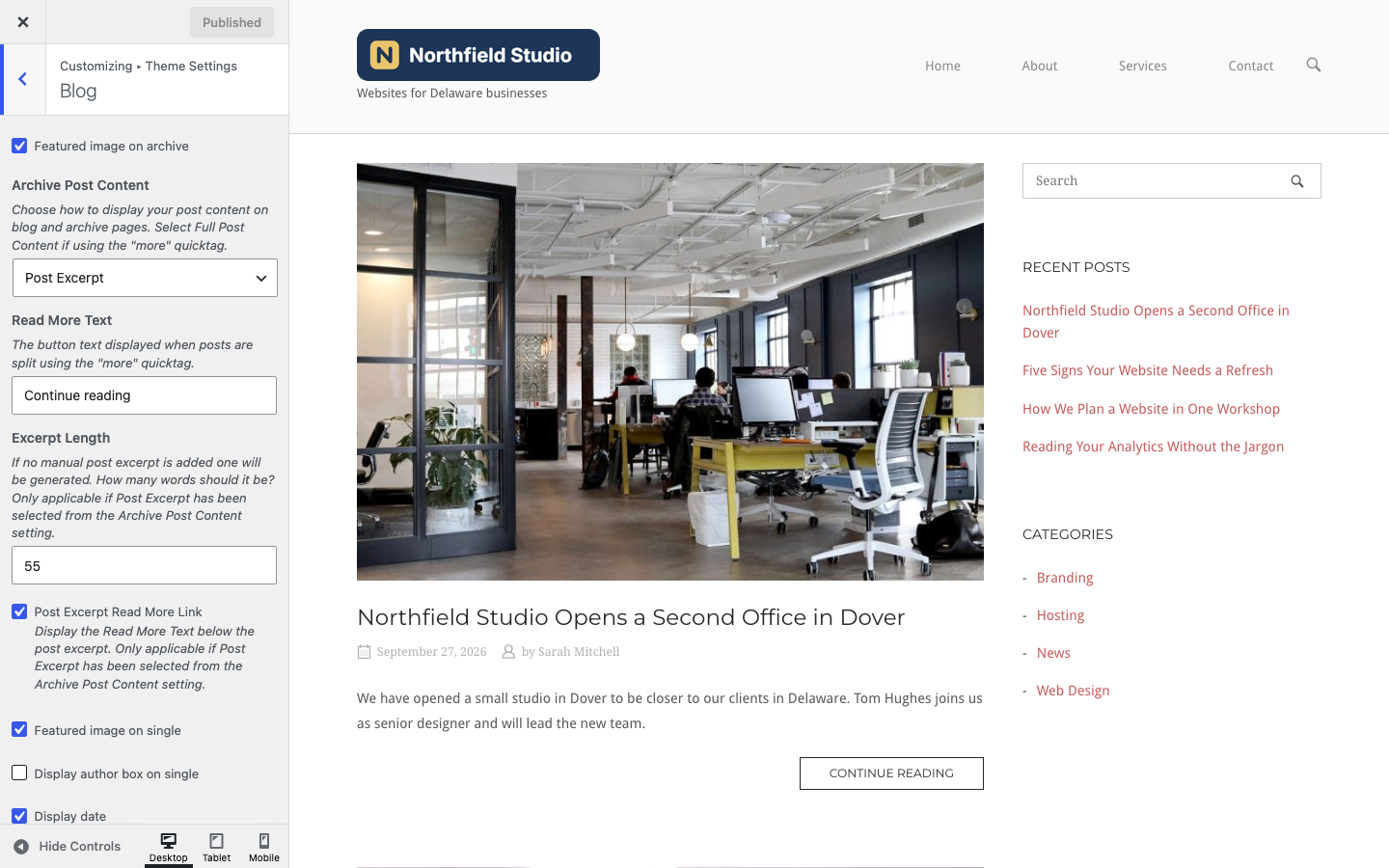
Blog and Archive Pages
Featured image on archive
Show each post’s featured image on the blog page, archive pages and search results. Default: on.
Archive Post Content
Choose what the blog and archive pages show for each post. Default: Full Post Content.
- Full Post Content: The whole post. If the post has a More block, the post stops there and a link to the full post follows. Use this option if you split posts with the More block.
- Post Excerpt: The post’s excerpt. If the post has no manual excerpt, WordPress makes one from the start of the post.
Search results always show the excerpt.
Read More Text
The text of the link to the full post. North uses it for the More block link and for the link below excerpts. If you leave it empty, North shows “Read More”. Default: Continue reading.
Excerpt Length
The number of words in an automatic excerpt. It has no effect on manual excerpts. Default: 55.
Post Excerpt Read More Link
Show the Read More Text as a button below each excerpt. It applies only when Archive Post Content is set to Post Excerpt. Default: on.
Single Posts
Featured image on single
Show the featured image at the top of single posts. Default: on.
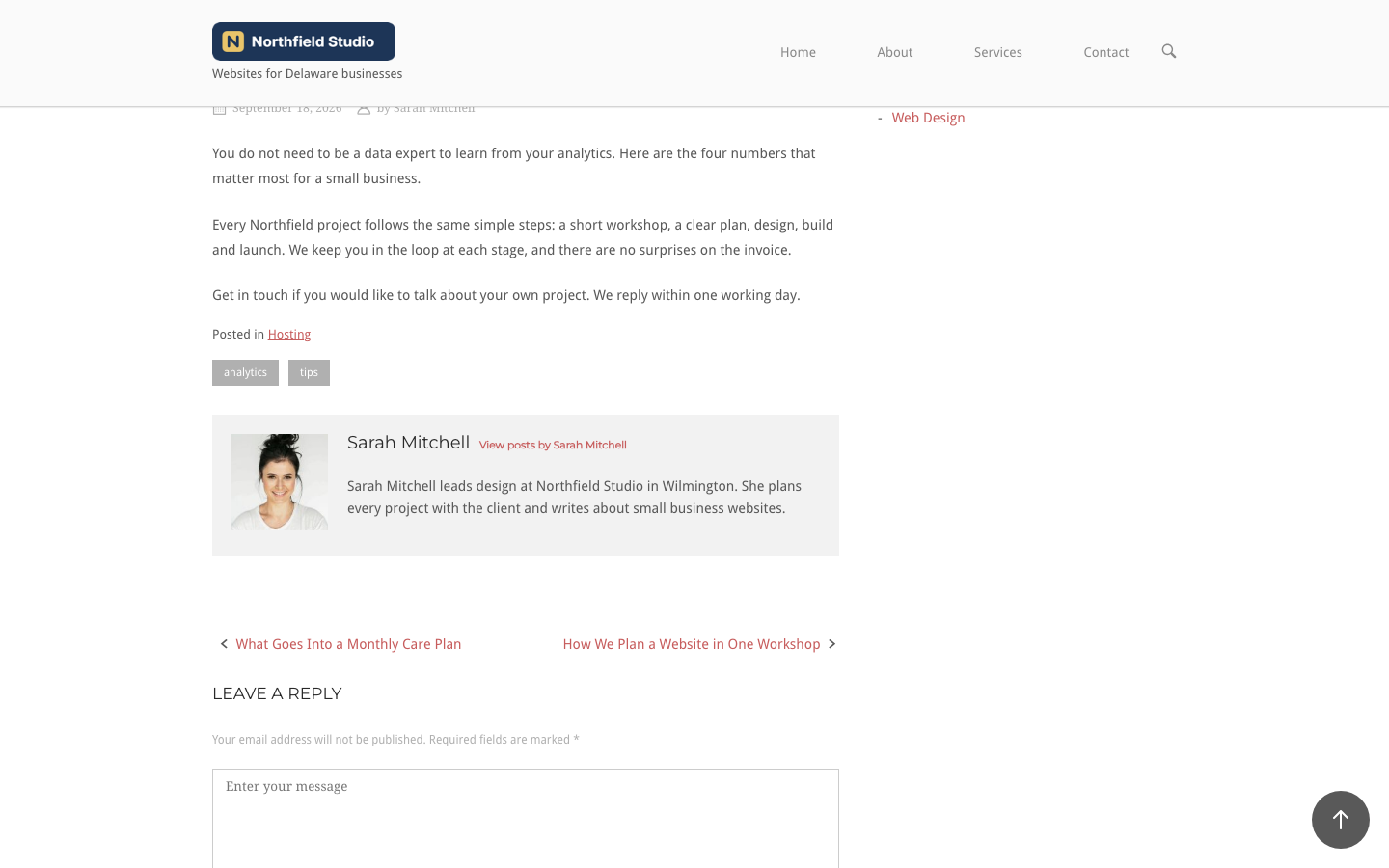
Display author box on single
Show a box below single posts with the author’s avatar, name, a link to their other posts and their biography. Add the biography in the Biographical Info field of the user’s profile. Default: off.
Post Meta
The post meta line shows below the post title on the blog page, archive pages, search results and single posts. On a single post it hides when Page Title is off in Page Settings.
Display date
Show the post date. Default: on.
Display author
Show the author’s name with a link to their posts. Default: on.
Display comment count
Show the number of comments on posts that have at least one comment. Default: on.
Comments
Ajax Comments
Post comments without a page reload. This setting needs SiteOrigin Premium. Without Premium, it shows an Available in Premium button. With Premium active, it is a checkbox. Default: on. See Ajax Comments.
To show next and previous post links below single posts, use Post navigation in Navigation.
Related
- Page Template Settings for the layout of the blog, archive and search pages.
- Fonts for the details font and the meta text color.