
 Page Builder
  Widgets Bundle
  SiteOrigin CSS
  Installer
 Theme Settings
2 min read Updated
North keeps its design settings in the Customizer. Go to AppearanceCustomizeTheme Settings to change the logo, fonts, colors, header, menu, blog and footer. Each section has its own page in this documentation.
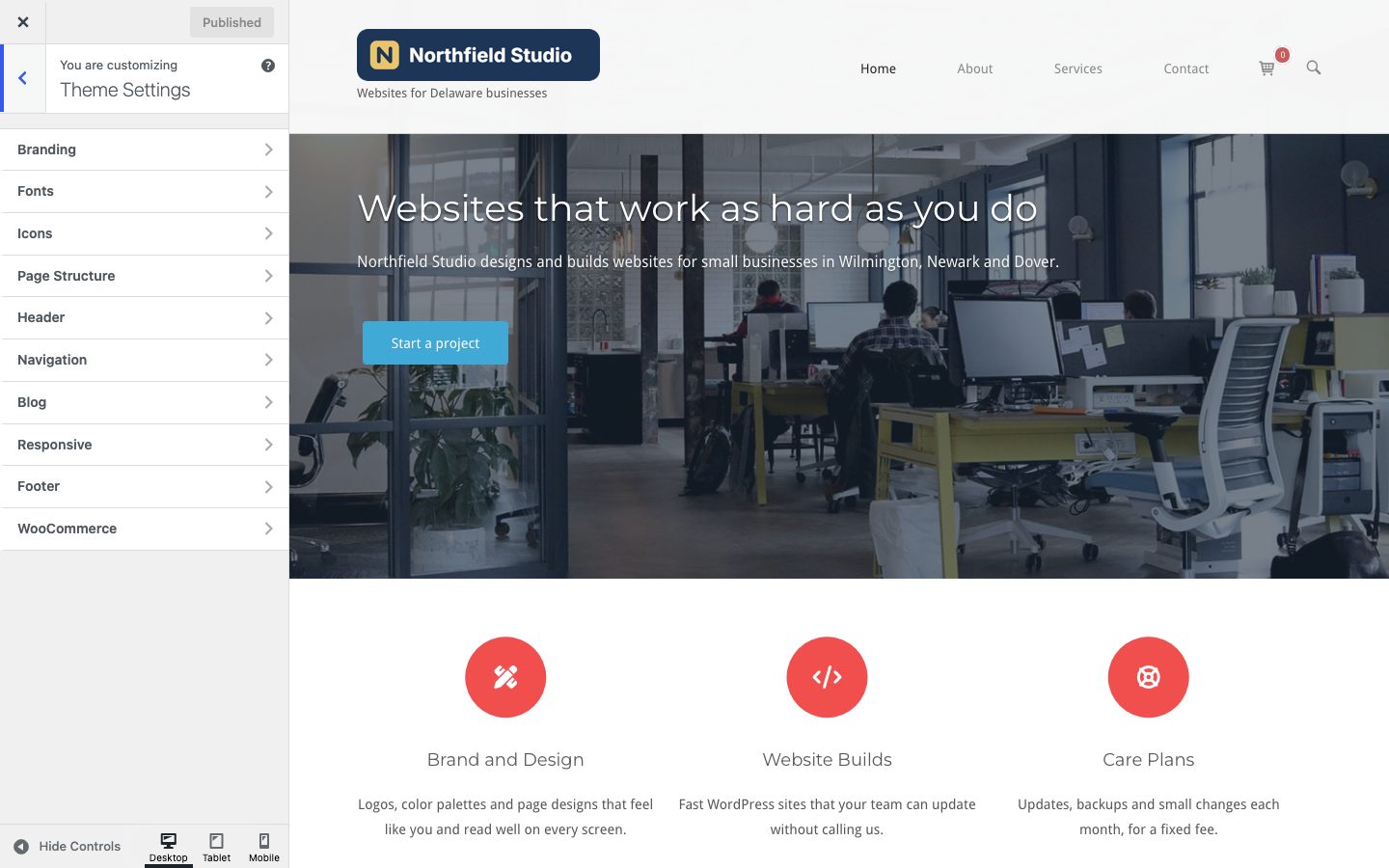
Sections
- Branding: logo, retina logo, site title beside the logo, site description, accent colors and the SiteOrigin footer link.
- Fonts: main, headings, details and menu fonts, plus text, menu and form field colors.
- Icons: your own images for the mobile menu, search, close search and scroll to top icons.
- Page Structure: sidebar width and position.
- Header: top bar text and colors, header layout, background, overlap opacity, border, padding and bottom margin.
- Navigation: menu search, sticky menu, logo scaling, post navigation, scroll to top and smooth scroll.
- Blog: featured images, archive post content, read more text, excerpt length, post details and the author box.
- Responsive: responsive layout, mobile menu text, colors and breakpoint, and FitVids.
- Footer: footer text, privacy policy link, colors, width, border, padding and top margin.
- WooCommerce: products per row, product row heights, cart in the menu, Quick View and the shop sidebar position. This section shows only when WooCommerce is active.
Other Customizer Panels
- Page Template Settings sets the layout of the blog page, archives, search results and the 404 page. See Page Template Settings.
- Site Identity holds the site title, tagline and site icon. North uses its Logo only when the Logo in Branding is empty.
- Colors sets the page background color (default #ffffff). Background Image adds a background image.
- Menus, Widgets, Homepage Settings and Additional CSS are WordPress panels. See Menu Locations, Widget Areas, Custom Home Page and CSS Snippets.
How Settings Work
- Most color fields and some size fields update the preview as you change them; other fields reload the preview. Click Publish to save.
- WordPress saves these settings for North only, so a child theme starts with the defaults; see Child Theme.
- Hide SiteOrigin Attribution in Branding and Ajax Comments in Blog show an Available in Premium button. They need SiteOrigin Premium.