
 Page Builder
  Widgets Bundle
  SiteOrigin CSS
  Installer
 Getting Started
2 min read Updated
SiteOrigin North is a free WordPress theme that gives business sites and online stores a sticky header, layout settings for each page and WooCommerce support. It works best with Page Builder and the Widgets Bundle. This page takes you from a new install to a working site.
Requirements
- WordPress 4.7 or higher.
- PHP 7.0 or higher.
- Optional: Page Builder by SiteOrigin to build page layouts and the Home Page screen.
- Optional: SiteOrigin Widgets Bundle for widgets such as the Hero, Button, Features and Contact Form Widgets.
Install North
- Go to AppearanceThemes and click Add Theme.
- Type SiteOrigin North in the search field.
- Click Install on the SiteOrigin North card, then click Activate.
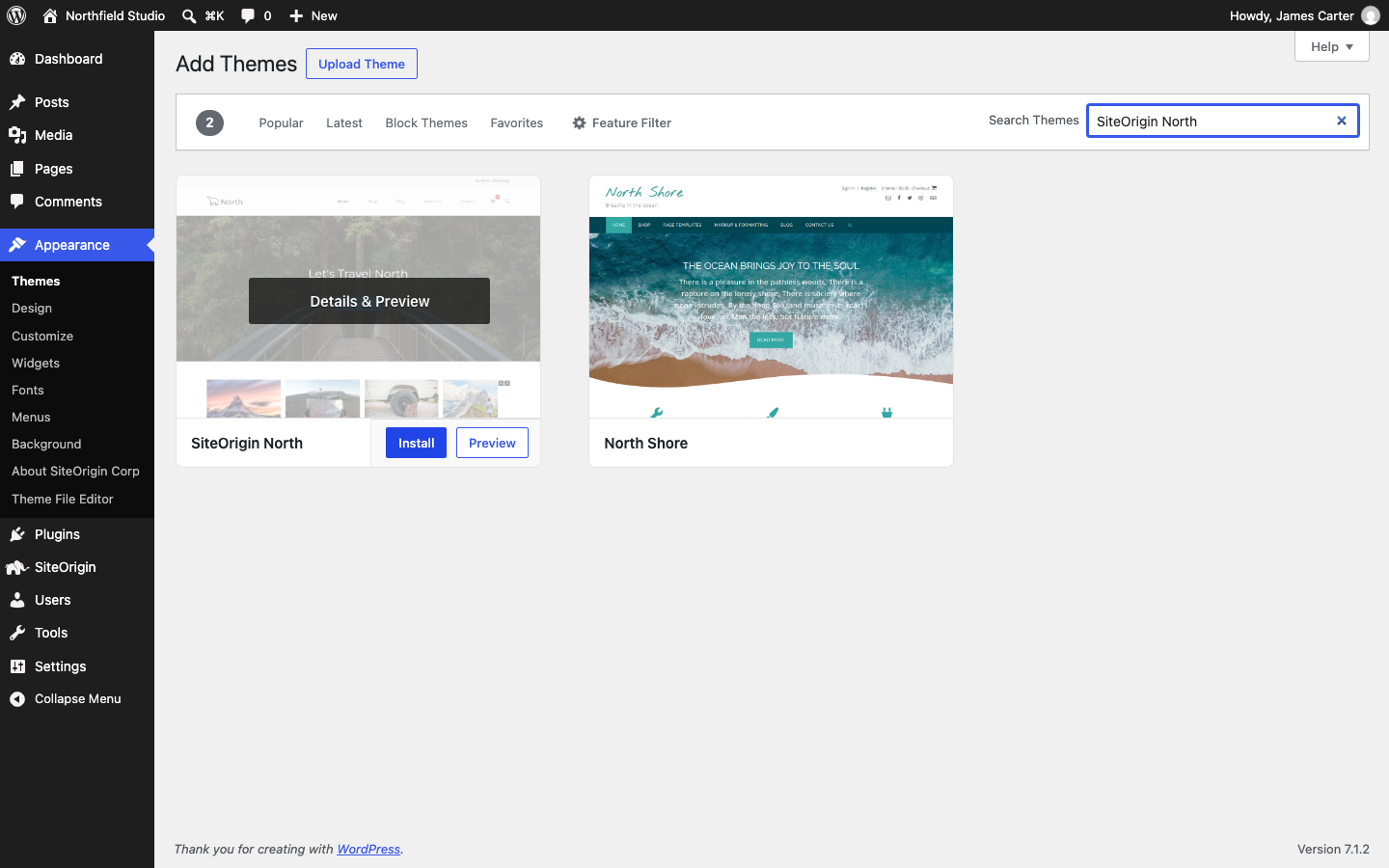
To install a zip file instead, click Upload Theme, choose the zip file and click Install Now. Then click Activate.
After you activate North, WordPress shows a notice with a Learn About SiteOrigin North button. It opens AppearanceAbout SiteOrigin North, which links to this documentation.
Install the Plugins You Need
North does not ask you to install any plugin. Add the ones you want:
- Go to PluginsAdd Plugin.
- Search for Page Builder by SiteOrigin or SiteOrigin Widgets Bundle, click Install Now, then click Activate.
Page Builder and the Widgets Bundle work with any theme and keep working if you change theme later. For other plugins that North supports, such as WooCommerce, Max Mega Menu and Yoast SEO breadcrumbs, see Integrated Plugins.
Open the Customizer
Go to AppearanceCustomize. North adds two panels:
- Theme Settings holds the North settings for branding, fonts, icons, page structure, header, navigation, blog, responsive layout and footer. See Theme Settings.
- Page Template Settings sets the layout for the blog page, archives, search results and the 404 page. See Page Template Settings.
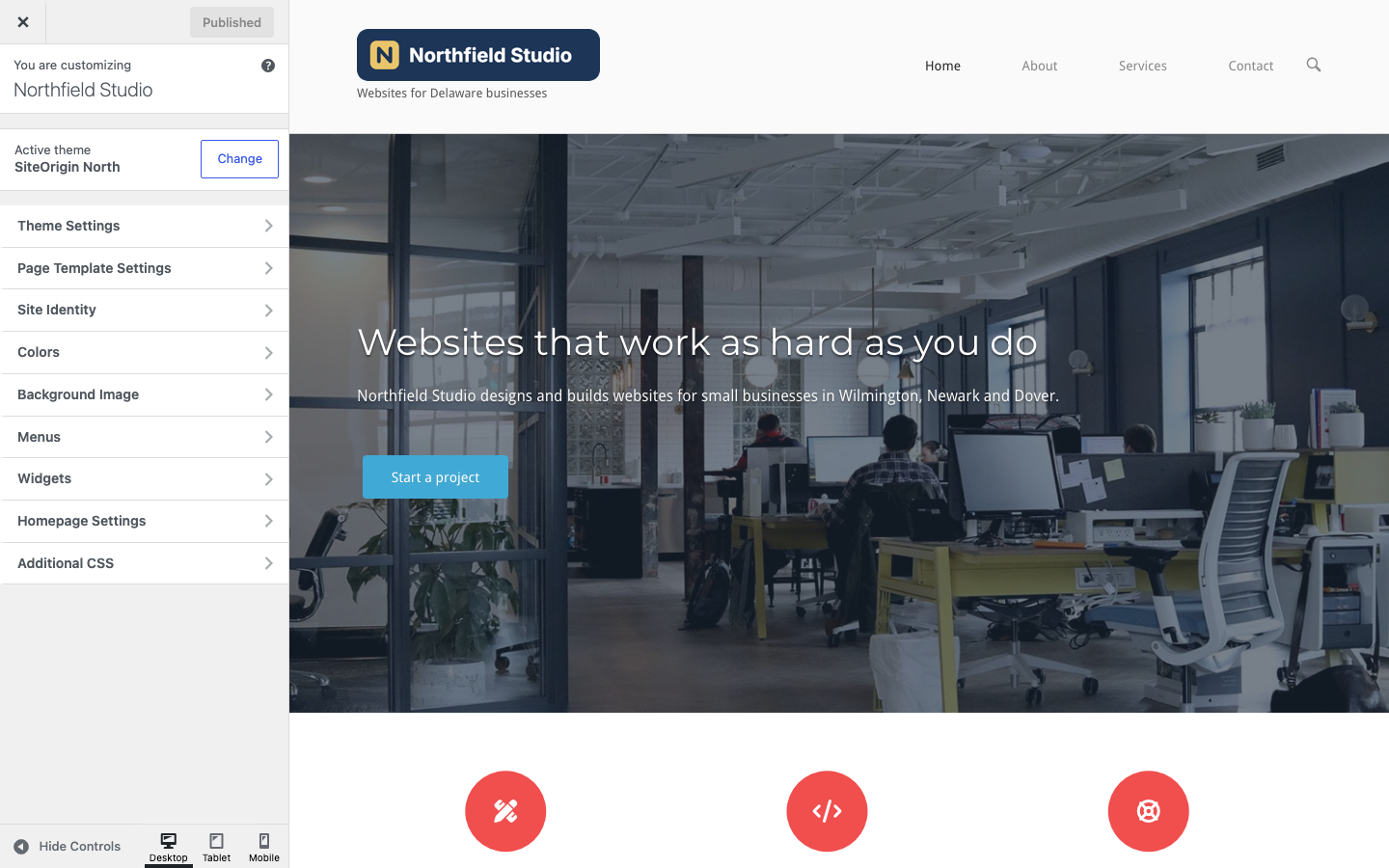
WordPress adds its own panels too: Site Identity holds your site title, tagline and site icon, and Menus and Widgets manage your menus and widget areas. Click Publish to save your changes.
Set Up Your Site
- Add your logo at AppearanceCustomizeTheme SettingsBranding, as shown in Branding.
- Create your menu and assign it to Primary Menu, as shown in Menu Locations.
- Build your home page and set it as your front page, as shown in Custom Home Page.
- Add widgets to the sidebar, footer and top bar, as shown in Widget Areas.
- Choose the layout of each page in its Page settings box, as shown in Page Settings.
SiteOrigin Premium
SiteOrigin Premium adds three theme addons for North: the Logo Booster Addon for a different logo on scroll or on one page, the No Attribution Addon to remove the SiteOrigin footer link, and the Ajax Comments Addon to post comments without a page reload.
Get Help
If you are new to Page Builder, read the Page Builder documentation. For questions, use the SiteOrigin forum.