
 Page Builder
  Widgets Bundle
  SiteOrigin CSS
  Installer
 Footer
2 min read Updated
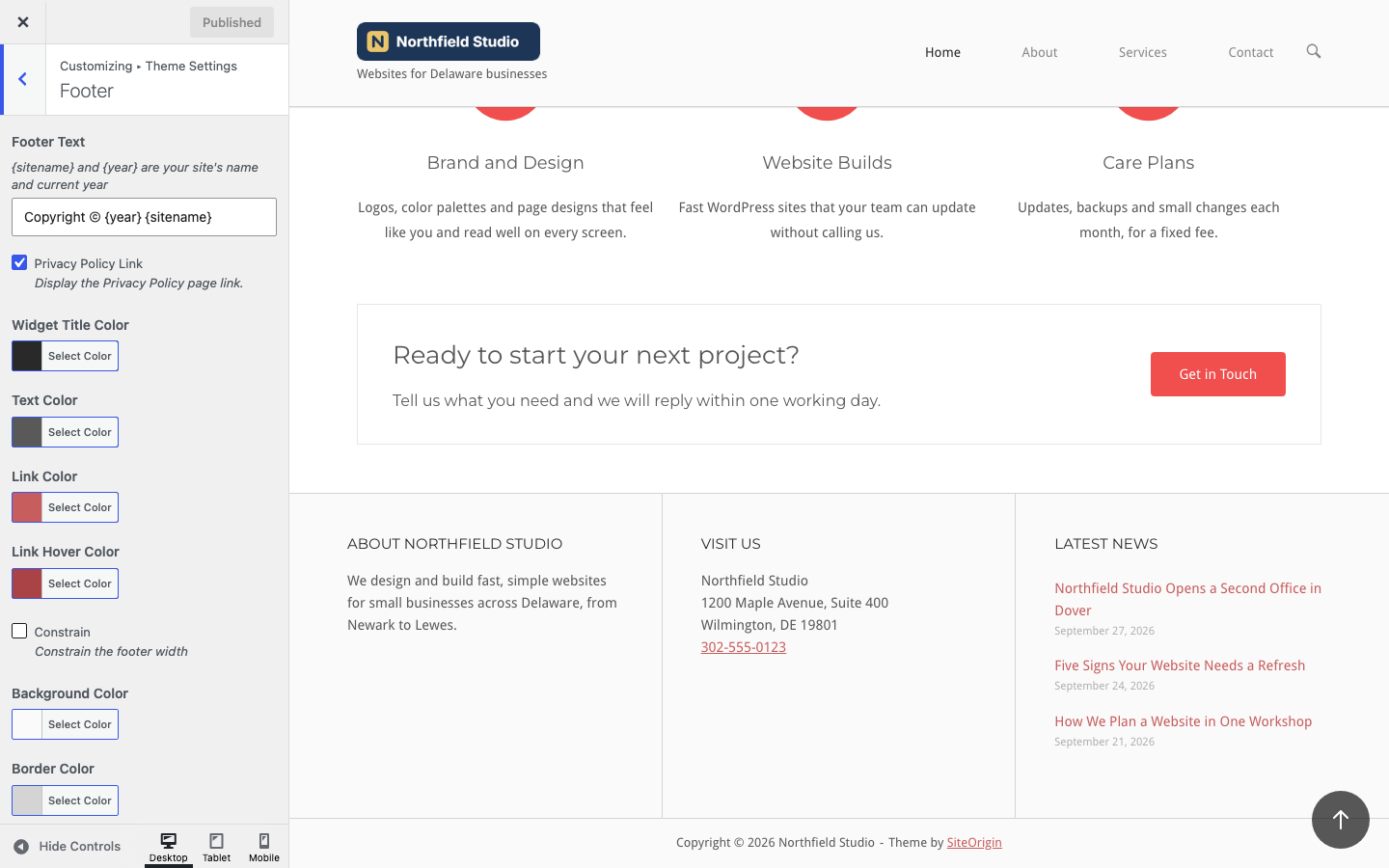
The Footer section controls the footer text, the colors, the width and the spacing of the footer. Go to AppearanceCustomizeTheme SettingsFooter. The footer has two parts: the Footer Widgets area, and the bottom bar below it with the footer text.
Footer Text
Footer Text
The text in the bottom bar. Use {sitename} for your site title and {year} for the current year. You can add a link or other basic HTML. Leave it empty to remove the text. Default: Copyright © {year} {sitename}, which shows, for example, as “Copyright © 2026 Northfield Studio”.
For example, to link the site name to the home page:
Copyright © {year} <a href="/">{sitename}</a>Privacy Policy Link
Show a link to your Privacy Policy page in the bottom bar. The link shows only when you choose a page at SettingsPrivacy. Default: on.
The bottom bar also shows a “Theme by SiteOrigin” link. To remove it, use Hide SiteOrigin Attribution in Branding, which needs SiteOrigin Premium.
Colors
Widget Title Color
The color of the footer widget titles. Default: #292929.
Text Color
The color of the footer text, in the widgets and the bottom bar. Default: #595959.
Link Color
The color of links in the footer. Default: #c75d5d.
Link Hover Color
The color of footer links on hover. Default: #a94346.
Background Color
The background color of the footer. Default: #fafafa.
Border Color
The color of the line above the footer widgets, the lines between widget columns and the line above the bottom bar. Default: #d4d4d4.
Border Width
The width of the same lines. Default: 1px.
Width and Spacing
Constrain
Keep the footer content within the site’s content width. When it is off, the footer widgets and the bottom bar use the full width of the screen. Default: off.
Top Padding
The space above and below the content of each footer widget. Default: 40px.
Widget Side Padding
The space to the left and right of each footer widget. On screens 640 pixels wide or less, the side padding is removed. Default: 40px.
Top Margin
The space between the page content and the footer. Default: 30px. To remove it on one page, turn off Footer Top Margin in Page Settings.
Footer Widgets
To fill the footer, go to AppearanceWidgets and add widgets to the Footer Widgets area. Each widget gets its own column, so three widgets make three columns of equal width. On screens 640 pixels wide or less, the columns stack, unless Disable Responsive Layout is on in Responsive. See Widget Areas.
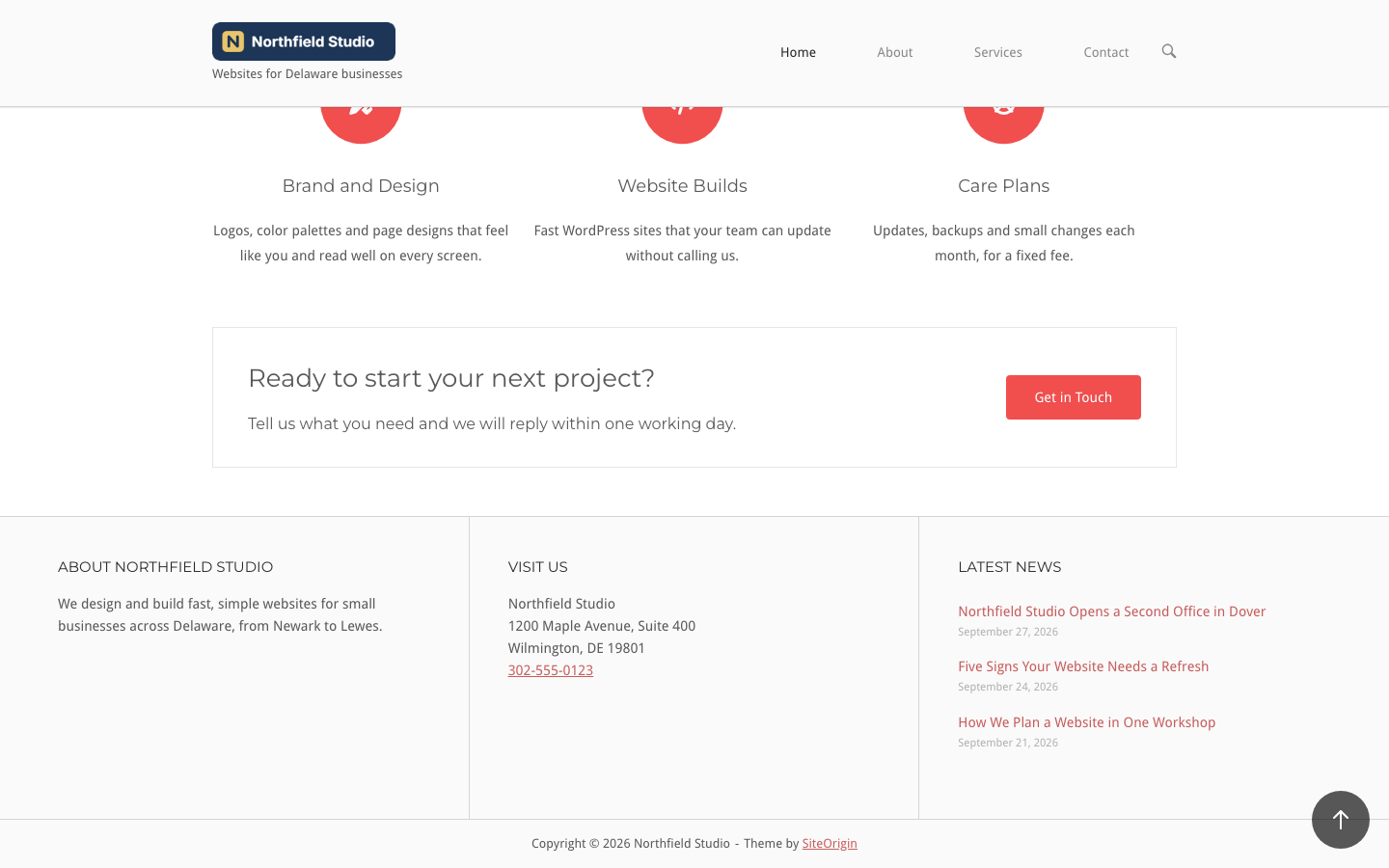
To hide the footer widgets on one page, use Hide Footer Widgets in Page Settings. Pages with the Stripped layout also hide them. In both cases the bottom bar stays in place.
Related
- Widget Areas for the Footer Widgets area.
- Branding for the accent colors and the attribution link.