
 Page Builder
  Widgets Bundle
  SiteOrigin CSS
  Installer
 Snapshot Documentation
2 min read Updated
SiteOrigin Snapshot is a free WordPress block theme for photographers and creatives who want a photo blog. It comes with Dark and Light styles, and you change its layout and design in the Site Editor.
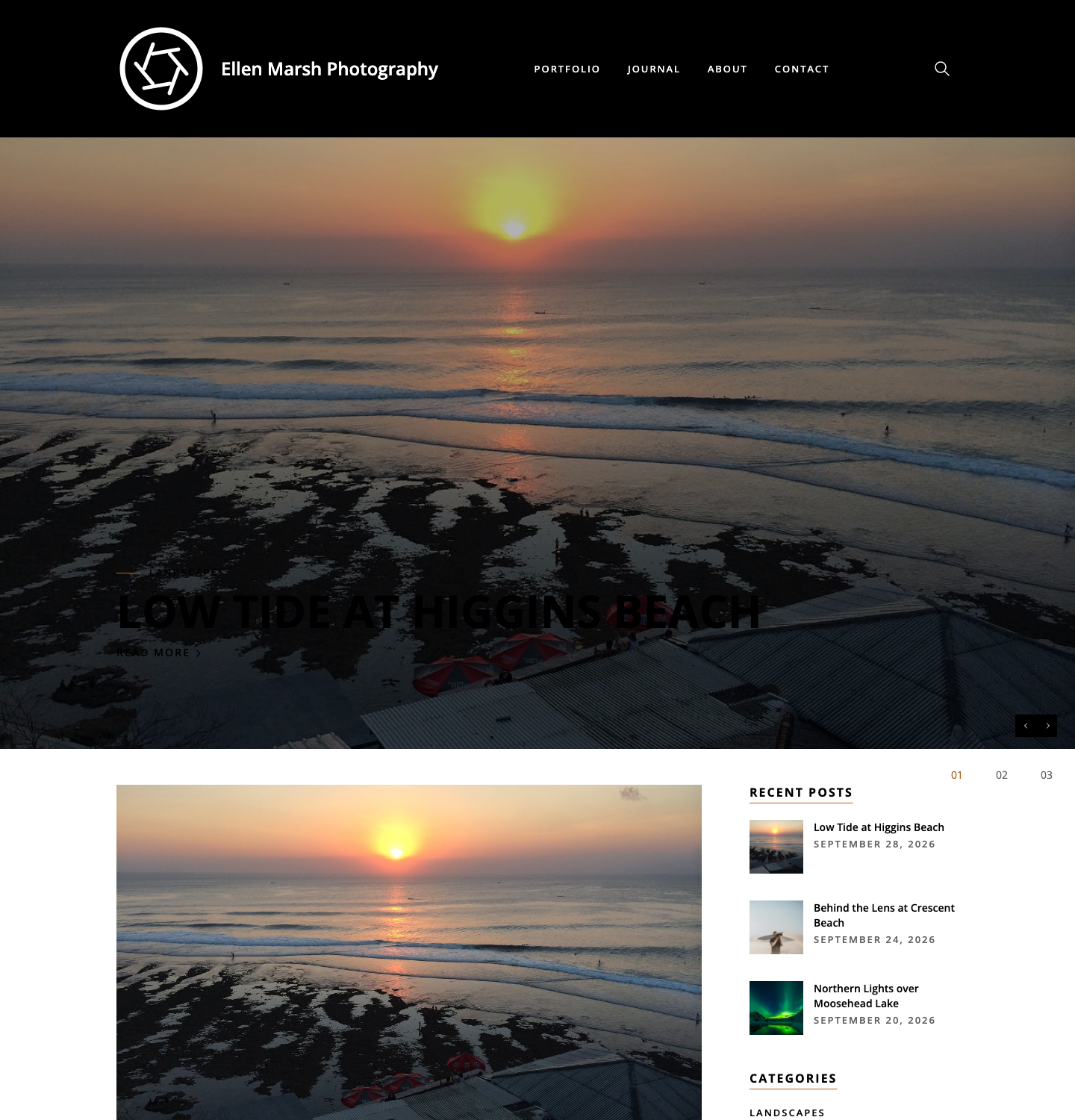
To install Snapshot, go to AppearanceThemes and click Add Theme. Search for SiteOrigin Snapshot, then click Install and Activate. You can preview Snapshot with sample posts on the Snapshot demo.
What You See After Activating
If your home page is set to show your latest posts, you see:
- A black header that keeps your site title, menu and search button visible as you scroll.
- A slider of your latest posts, shown when at least one of those posts has a featured image.
- A list of posts beside a sidebar with recent posts, categories and tags.
- A footer with sample text and photos, up to two recent posts and a copyright line.
To edit the header, footer or sidebar, go to AppearanceEditor; they are template parts, so widgets added at AppearanceWidgets do not show in them. Replace the footer’s sample text and photos as shown in Header, Footer and Menus.
Get Started
- Getting Started: add your site title and logo, then choose what appears on your home page.
- Header, Footer and Menus: set up your menu, replace the sample footer content and edit the blog sidebar.
Design Your Site
- Styles: switch between the Dark and Light styles, then change the colors, fonts and spacing.
- Templates: edit a template used across your site, or choose another for a single page.
- Blog Layouts: show your posts in a slider, a list or a grid.
Plugins
To build pages with Page Builder by SiteOrigin and the SiteOrigin Widgets Bundle, see Page Builder and Widgets.
Snapshot works with WooCommerce to sell prints or other products. WooCommerce provides the store templates, and Snapshot styles them to match your site: shop pages keep the same width as the rest of the site, and cart or account buttons you add to the header line up with the menu. To edit the shop layout, go to AppearanceEditor, open Templates and select Product Catalog.
Get Help
For help with WordPress itself, see the General WordPress guides. For questions about Snapshot, use the SiteOrigin forum. SiteOrigin Premium license holders also get email support; the address is on our Contact page.