
 Page Builder
  Widgets Bundle
  SiteOrigin CSS
  Installer
 Galleries
3 min read Updated
The Origami gallery slider shows a WordPress gallery one large image at a time, with the image caption, and arrows and dots to move between images. The slider replaces galleries made with the [gallery] shortcode, which the Classic Editor inserts. It is on by default; the setting is Use Origami Gallery in AppearanceCustomizeTheme SettingsDisplay.

How the Slider Works
- The slider fades to the next image every seven seconds and starts again after the last image. Arrows and dots let visitors move between images.
- The caption of each image, from its Caption field in the Media Library, shows over the bottom of the slide.
- Slides follow the order of the gallery. Random Order in the gallery settings works; Link To and Columns have no effect.
- Origami crops each image to 904 by 500 pixels. To show your images without the crop, choose Large or Full Size for Size in the gallery settings.
WordPress makes the 904 by 500 pixel version when you upload an image. Images that you uploaded before you activated Origami do not have it, so run a plugin such as Regenerate Thumbnails once to create it.
Add a Gallery
In the Classic Editor:
- Edit a post or page and click Add Media.
- Click Create gallery in the left column, choose your images, then click Create a new gallery.
- Type a caption for each image if you want one, set the gallery settings in the right column, then click Insert gallery.
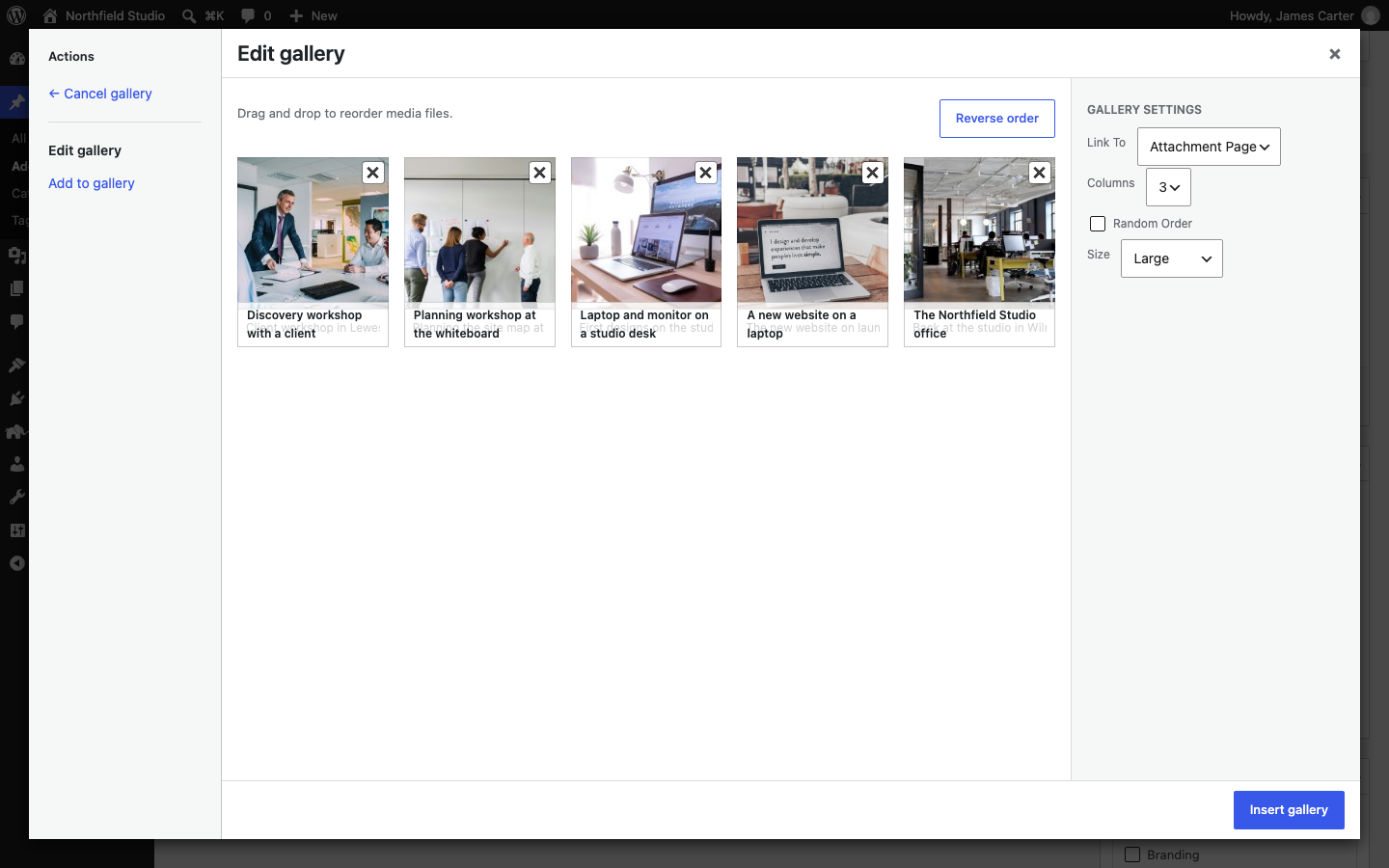
The Block Editor Gallery block does not use the gallery shortcode, so Origami does not change it; it shows as a standard grid. To use the slider in the Block Editor, add a Classic block and follow the steps above, or add a Shortcode block with a gallery shortcode, such as [gallery ids="21,22,23"], using the IDs of your images.
Show a Standard Gallery
To show all galleries as standard WordPress galleries, turn off Use Origami Gallery. To keep the slider and show one gallery as a standard gallery, add type="default" to its shortcode. In the Classic Editor, open the Text tab and change the shortcode, for example to:
[gallery type="default" ids="21,22,23"]
On a home page built with Page Builder, a gallery that has no images chosen shows four Origami demo slides. See Plugins.
Slide Links from Origami Premium
Origami Premium added a Target URL field to images, so that a slide could link to a page. Origami 1.10.3 has no such field; the links that you saved are still in your database. This snippet adds the field back to the image details in the Media Library and links each slide that has a URL. Add it to the functions.php file of a child theme, or use the Code Snippets plugin: go to SnippetsAdd New, paste the code and click Save and Activate.
function origami_child_slide_url_field( $fields, $post ) {
	$fields['origami_slide_url'] = array(
		'label' => 'Target URL',
		'input' => 'text',
		'value' => get_post_meta( $post->ID, 'slide_url', true ),
	);
	return $fields;
}
add_filter( 'attachment_fields_to_edit', 'origami_child_slide_url_field', 10, 2 );

function origami_child_slide_url_save( $post, $attachment ) {
	if ( isset( $attachment['origami_slide_url'] ) ) {
		update_post_meta( $post['ID'], 'slide_url', esc_url_raw( $attachment['origami_slide_url'] ) );
	}
	return $post;
}
add_filter( 'attachment_fields_to_save', 'origami_child_slide_url_save', 10, 2 );

function origami_child_slide_link_open( $html, $attachment, $target_blank ) {
	$url = esc_url( get_post_meta( $attachment->ID, 'slide_url', true ) );
	if ( ! empty( $url ) ) {
		$html .= '<a href="' . $url . '"' . ( ! empty( $target_blank ) ? ' target="_blank"' : '' ) . '>';
	}
	return $html;
}
add_filter( 'origami_slide_before', 'origami_child_slide_link_open', 10, 3 );

function origami_child_slide_link_close( $html, $attachment ) {
	if ( esc_url( get_post_meta( $attachment->ID, 'slide_url', true ) ) ) {
		$html .= '</a>';
	}
	return $html;
}
add_filter( 'origami_slide_after', 'origami_child_slide_link_close', 10, 2 );
To open the links of one gallery in a new tab, add target_blank="true" to its shortcode, as Origami Premium did.