
 Page Builder
  Widgets Bundle
  SiteOrigin CSS
  Installer
 Target Any Page with the Custom Body Class Addon
The Custom Body Class Addon is now available in SiteOrigin Premium. It adds your own classes to the page’s <body> tag, the HTML element that wraps everything visitors see on the page. You can add classes to every page, or to a single page or post, and then use them in your custom CSS to style only those pages.
Key Features:
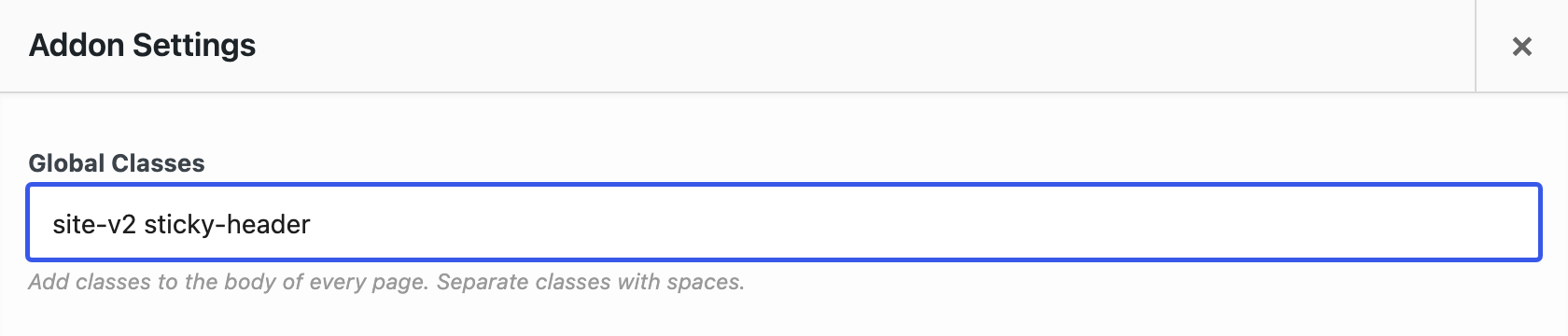
- Global Classes: Add classes to the body of every front-end page from one setting.
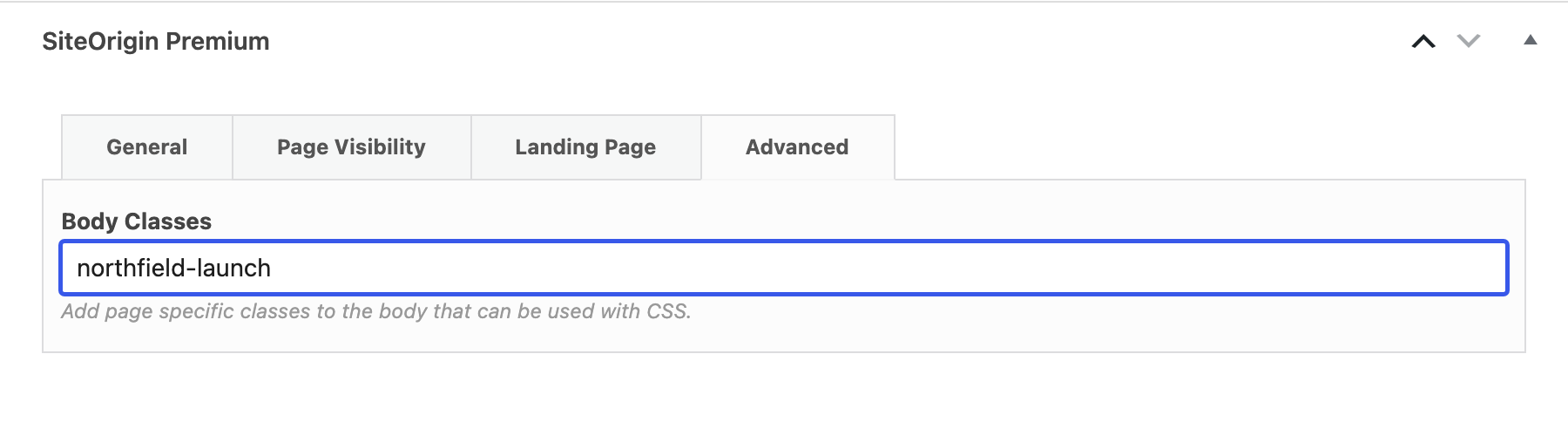
- Page Classes: Add classes to a single page or post from Advanced in the SiteOrigin Premium metabox.
- Homepage, Posts Page and Shop: Page classes also apply when the page is your homepage, your posts page or the WooCommerce shop page.
- Duplicate Classes: The addon checks each class name and adds a repeated class only once.
Getting Started:
- Go to SiteOriginPremium Addons and activate the Custom Body Class Addon.
- To add classes to every page, click Settings on the addon and fill in Global Classes. Separate classes with spaces or commas.
- To add classes to one page, edit the page and open Advanced in the SiteOrigin Premium metabox. Fill in Body Classes.
- Target the classes in your custom CSS, for example in AppearanceCustom CSS with the SiteOrigin CSS plugin. The classes appear when your theme uses the standard WordPress body classes, as SiteOrigin themes do.
The addon requires the SiteOrigin Widgets Bundle.
For detailed setup instructions, see our Custom Body Class documentation.
Unlock this addon and every other Premium addon by upgrading to SiteOrigin Premium.