
 Page Builder
  Widgets Bundle
  SiteOrigin CSS
  Installer
 Error Uploading Media and more…

Hi there,
I have been working with your Vantage Premium Theme and love it! I am now working on replacing 50+ websites using this theme!
I am new to WordPress and after I designed my first test Vantage Premium website I tried to copy it from the test site to where it was going to go live at its regular domain. I did something wrong and lost all the pages. My host did eventually get the files back minus some recent updates to the test website.
As I started working on the test website again replacing the missing pictures I came up against many errors.
*I can’t upload any pictures as I get an error each time.
*I can’t change the Vantage theme to test that as no themes are showing in the add new section.
*As soon as I click on a page to edit it I get logged out.
*I get logged out each time withing 20 seconds of signing in. ( I did check the settings for the domain address and they are both the same address)
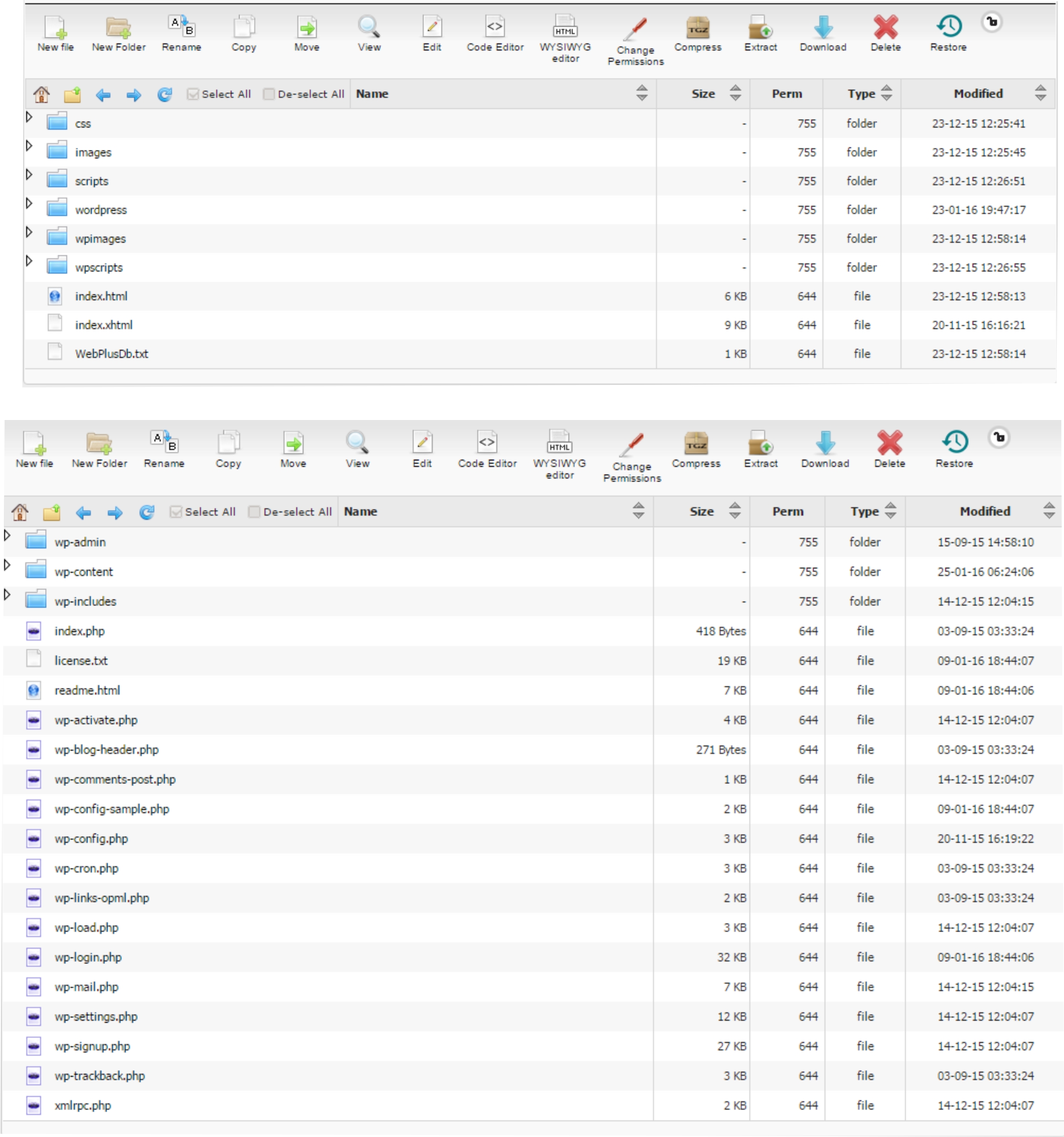
I have attached screenshots of the Hosting Folders in case that helps. I realize there are some non wordpress files in the first screenshot. They are from the old WebPlus desktop software I was using but never affected the Vantage WordPress site for the last 2 weeks I have been using it.
Would it help to give you a sign in account to my WordPress to look at it?
Appreciate any help you can give.
This is our free support forum. Replies can take several days.
Need fast email support? Get SiteOrigin Premium