
 Page Builder
  Widgets Bundle
  SiteOrigin CSS
  Installer
 Turn Any Page Into a Standalone Landing Page
Design unique, focused landing pages with the new Landing Page Addon for SiteOrigin Premium. The Landing Page addon lets you turn any page into a standalone, full-screen experience, rendered on its own without your theme’s header, footer, or sidebars, so
your content takes center stage.
Build your page with the SiteOrigin Layout Builder or standard content, then fine-tune the colors, fonts, and backgrounds to perfect each page’s appearance. The result is a clean, distraction-free canvas that’s ideal for campaigns, product launches, sign-up
pages, and anywhere you need a page that stands apart from the rest of your site.
Key Features
Standalone, Full-Screen Pages
Turn any page into a distraction-free landing page that renders on its own, without your theme’s header, footer, or sidebars.
Enable Per Page
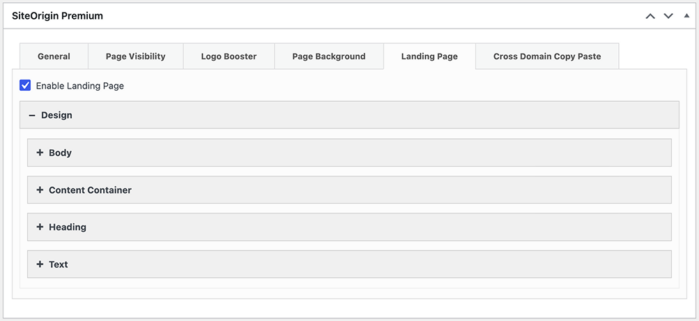
Activate the landing page experience on a per-page basis from the SiteOrigin Premium metabox, right inside the page editor.
Use Your Existing Content
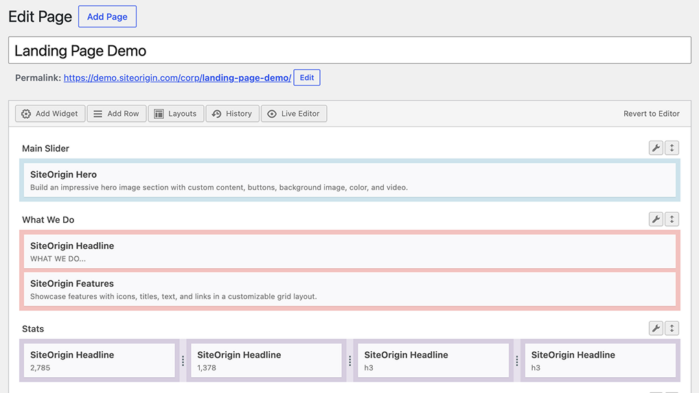
Your page is displayed using whatever you’ve already built, whether that’s a SiteOrigin Layout Builder layout or standard page content. No need to rebuild anything.
Full Design Control
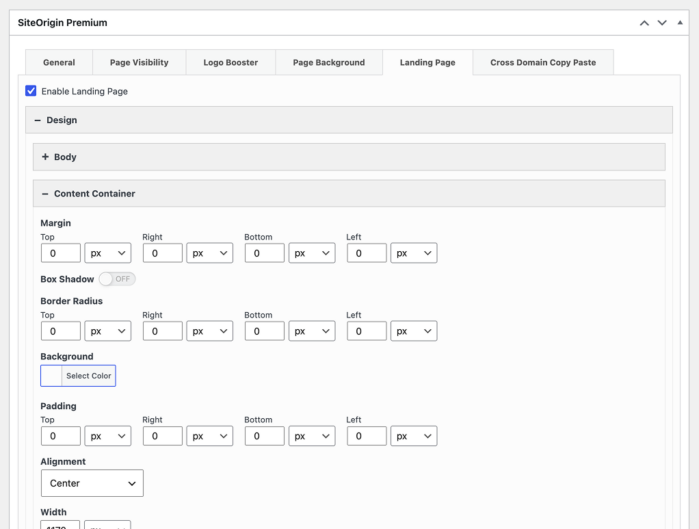
Fine-tune the body background, content container, headings, and text. Adjust colors, fonts, backgrounds, spacing, alignment, border radius, and box shadow to perfect each page’s appearance.
Getting Started
- Go to SiteOriginPremium Addons and activate the Landing Page Addon.
- Edit the page you’d like to use as a landing page.
- Open the Landing Page tab in the SiteOrigin Premium metabox and enable Enable Landing Page.
- Adjust the Design settings to match your branding, then update the page.
Benefits for Your Site
Focused, Distraction-Free Pages
Remove your theme’s chrome to keep visitors focused on a single message or call to action.
On-Brand Design
Tailor colors, fonts, and backgrounds so each landing page looks exactly the way you want.
No Rebuilding Required
Reuse the content and layouts you’ve already created, simply flip a page into a landing page when you need it.
SiteOrigin Landing Page is available now for all SiteOrigin Premium users. Turn any page into a polished, standalone landing page in just a few clicks.
For detailed setup instructions and usage tips, see our documentation on using the Landing Page Addon.
Not yet a SiteOrigin Premium user? Upgrade today to unlock Landing Page and other powerful SiteOrigin Premium features.
7 Comments
Thanks for Landing Page. Right on time as I wanted a standalone page without a menu.
Thanks, Mike, that’s good news. Please, let us know if any queries arise. Cheers.
RG INVESTMENT GROUP, I want to launch the cite soon.
Hi Reuben, SiteOrigin products are best used on a self-hosted WordPress installation on your own hosting plan (server). If you have any questions along the way, please feel free to post them at https://siteorigin.com/thread.
I gave this a try on my (local) testsite. We have a bilingual site and have added a language switcher to the menu. Unfortunately it still shows on the landing page. We would like to have separate EN and FR landing pages, so no need for the switcher. Anyway to hide the switcher attached to the menu?
Hi Jane,
The Landing Page Addon will allow you to change the first page a user sees on your website; it won’t directly alter your menu or elements handled outside of the Addon. I recommend checking the settings of the multilingual plugin you’re using to see if you can adjust its settings to exclude the landing page.
If it doesn’t appear that’s possible, you also have the option of hiding it via CSS. Multilingual typically add a unique id or class that can be used to alter the language switcher and using that, you can hide it on the Landing Page. I recommend taking a look through Multilingual or reaching out to their support, as they’ll be able to guide on this.
Once you know the unique id/class, you can then add the following PHP using a plugin like Code Snippets or a child theme’s functions.php:
add_action( ‘siteorigin_premium_gate_css’, function() {
echo ‘.your-switcher-selector { display: none; }’;
} );
That hook only runs when a landing page is being rendered, so your normal pages are unaffected.
Let me know how you go. Consider reaching out to Premium Support with a link to your landing page; we’ll use that to help narrow it down further.
Kind regards,
Alex
Thanks. I will work on this following your suggestions.