
 Page Builder
  Widgets Bundle
  SiteOrigin CSS
  Installer
 Accelerate Your Workflow with SiteOrigin Custom Layouts

Speed up your page building workflow by creating reusable layouts and sections with the new Custom Layouts Addon for SiteOrigin Premium. Custom Layouts lets you construct layouts using Page Builder, save them to a dedicated library, and reuse them wherever you need consistent structure and design.
Create full-page layouts or individual sections once, then deploy them across your site without rebuilding the same structure each time.
Key Features
Reusable Layout Library
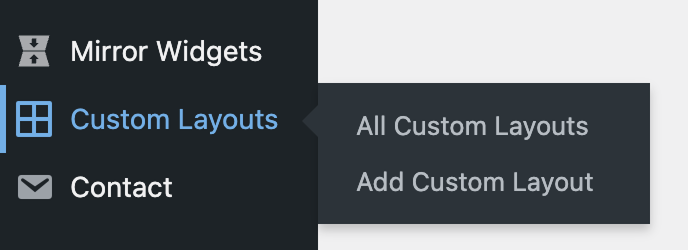
Save layouts and sections as Custom Layouts and manage them from a central location in your WordPress dashboard.
Save Sections While You Build
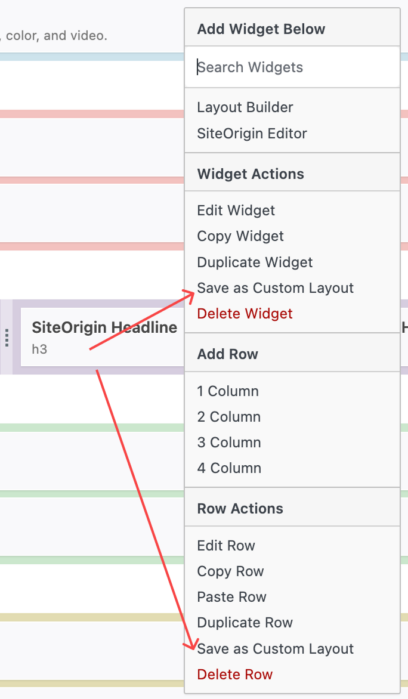
Use the Page Builder contextual menu to save rows or widgets as Custom Layouts directly from the editor.
Import Existing Content
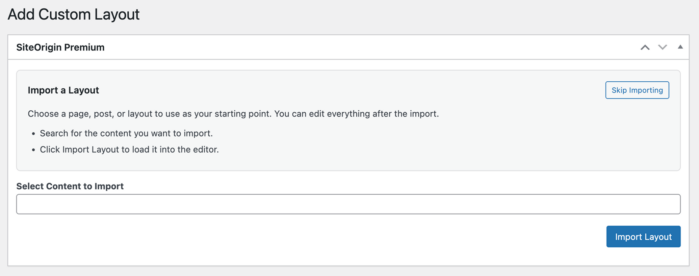
Start a new Custom Layout by importing a page, post, or layout as a foundation, then refine it for reuse.
Flexible Reuse
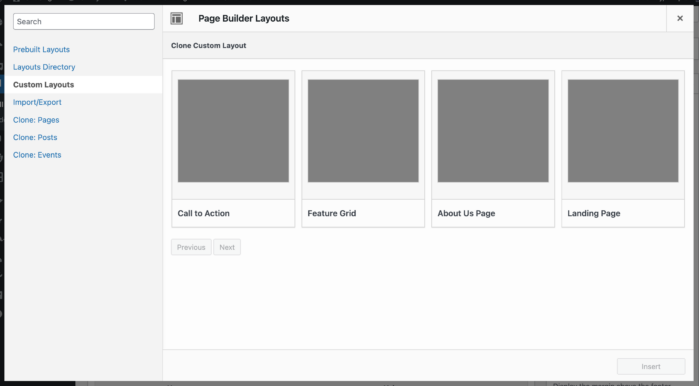
Insert Custom Layouts into pages whenever you need a proven structure, whether it’s a full layout or a single section.
Getting Started
- Go to SiteOriginPremium Addons and activate the Custom Layouts Addon.
- Open Custom Layouts in your WordPress dashboard to view and manage saved layouts.
- Create a new Custom Layout and optionally import existing content as a starting point.
- Save rows or widgets as Custom Layouts using the Page Builder contextual menu.
Benefits for Your Site
Faster Page Building
Reduce repetitive work by reusing layouts and sections you’ve already designed.
Consistent Structure
Maintain a uniform layout style across pages while still customizing content as needed.
Better Organization
Keep frequently used layouts and sections stored in one place for quick access.
SiteOrigin Custom Layouts is available now for all SiteOrigin Premium users. Build layouts once, reuse them where you need them, and streamline your design workflow.
For detailed setup instructions and usage tips, see our documentation on using the Custom Layouts Addon.
Not yet a SiteOrigin Premium user? Upgrade today to unlock Custom Layouts and other powerful SiteOrigin Premium features.
2 Comments
I have tried several times to build a custom layout using “Add Custom Layout”. Then I Import a Layout by selecting a page in the content to Import select box.
When I do and I click View Custom Layout I get the error: Oops! That page can’t be found.
I also did this by using the drop down in a widget and creating a Custom Layout. The Addon is active.
What am I doing wrong.
Hi Mike, thanks for reporting the issue. I’m not yet able to recreate the error you’re seeing. Please, email [email protected]. We’ll assist ASAP tomorrow. Cheers, Andrew