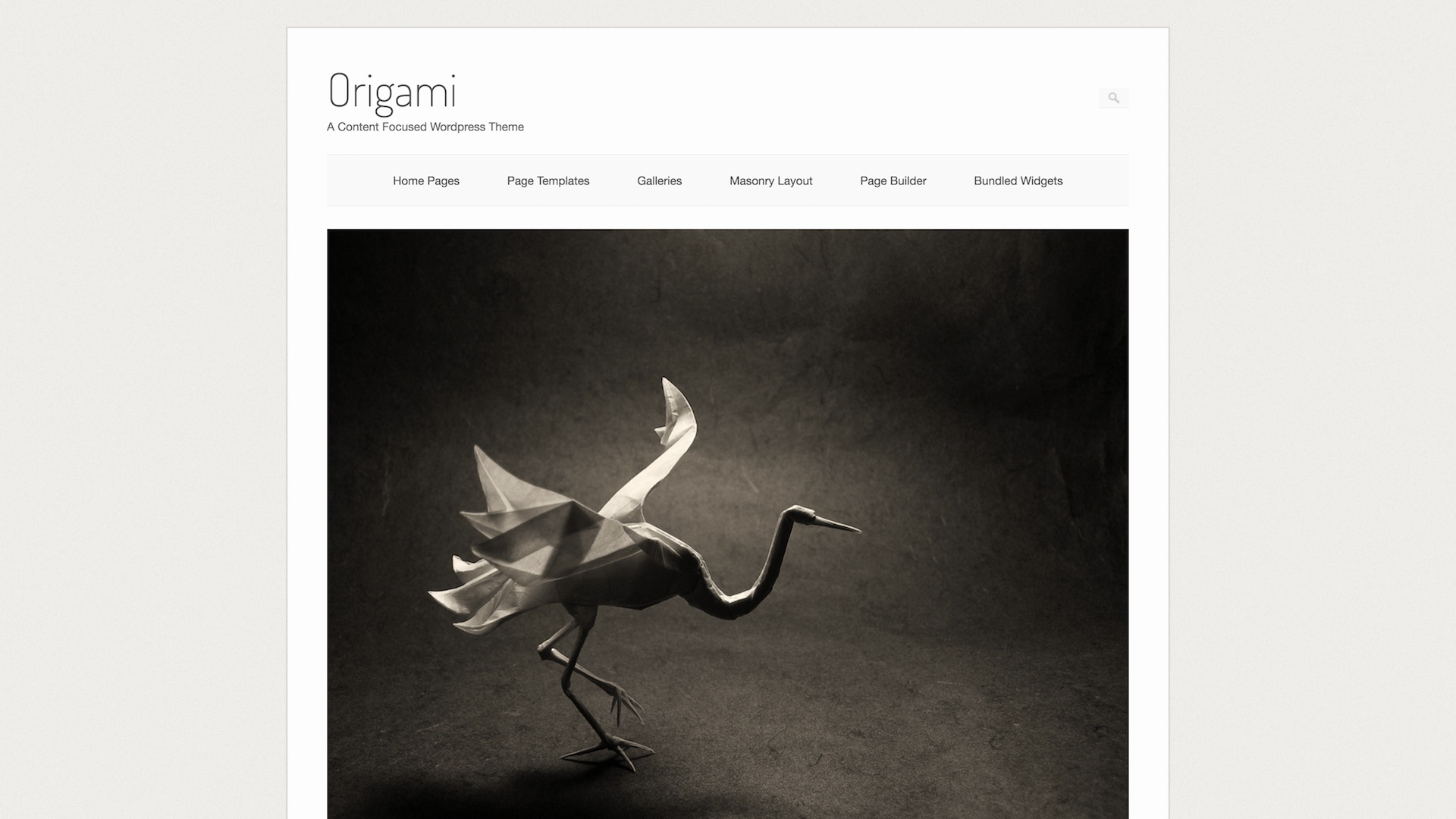
Origami

Free WordPress Theme

The idea behind Origami was simple. It needed to be as clean and minimal as possible so that all of a reader’s focus would be on the blog’s content. Origami has support for a lot of different post formats which means it works well as a media blogging theme. You can add galleries, images and videos.

License

Origami WordPress Theme, Copyright 2012 SiteOrigin. Origami a GPL v2.0 theme.

Origami includes the following external libraries

Change Log

1.0
Initial Release.

1.0.1
Various bug fixes and updates.

1.0.2
Critical fix in comment form.

1.0.3
Fixed bug with logo.
Added editor-style.css.
Improved W3C HTML validation.
Code quality improvement.
Fixed content columns.
Added link to documentation in admin.

1.1
Removed dependence on Simple Options plugin.
Added more settings and options.
Referenced new Origami Premium.
Fixed gallery ordering.
Various bug fixes.

1.2.4
Various bug fixes.

1.2.5
Added Selectivizr.
Various minor fixes.

1.2.6
Added option to center logo.
Fixed logo scaling for responsive layout.
Using wpenqueuestyle to enqueue style.css.

1.2.7
Fixed theme endpoint and version number.

1.3.2
Fixed a bug in the custom gallery.
Fixed translation issues.
General code clean up.

1.4 - 1.4.1
Updated and integrated the latest SiteOrigin framework.
Integrated page builder.
Added widgets.
Various bug fixes.
A few additional options.

1.4.2
Usability improvements to Panels.

1.4.3
Added home page builder.
Fixed issue with column setting.

1.4.4
Fix to notification/welcome bar.
Minor fixes to Panels.

1.4.5
Added blog page archive.
Fixed conflict with home page and columns.
Fixes bugs in panels page builder.

The idea behind Origami was simple. It needed to be as clean and minimal as possible so that all of a reader’s focus would be on the blog’s content. Origami has support for a lot of different post formats which means it works well as a media blogging theme. You can add galleries, images and videos.

Aesthetics

Origami takes a definite minimal approach with light colors, subtle contrasts and a general absence of pizazz. You can see it’s had a fair amount of refinement. All in all, it’s good .

A slightly off white background dominates Origami’s design. There’s a subtle background texture which stops the theme from looking like a sea of yellow.

The search bar starts off small and bounces out to full size as soon as the user selects it. This is just enough animation to prevent the theme from feeling too static, but not too much as to take away from the minimal nature of the theme.

The typography is clear. It doesn’t do anything particularly creative here. It sticks to the standard Helvetica Neue with a regular weight and a healthy amount of spacing.

The headings use a Google Web Font called Dosis. It’s a thin, unassuming font that gives Origami a distinct feel. It offers enough visual differentiation from Helvetica Neue to give the headings some subtle impact.

Origami makes balanced use of white space around the headings.

Responsiveness

Origami is a responsive WordPress theme. This means that it scales nicely to fit onto mobile devices. This is quickly becoming the most in demand feature of a WordPress theme so it’s always favourable when a free theme ships with this feature.

It handles repsonsiveness is a straightforward way. The main container width has a maximum width of 1024px. If you resize your browser, you’ll notice that the design catches the edges of the screen and starts scaling down to make full use of narrower width devices.

Origami essentially becomes a liquid width design. It keeps healthy padding and margins along the way.

The premium version offers a few extra responsive features. Your main menu will collapse into a single button and the footer widgets collapse into a single column.

Page Builder

Origami features a drag and drop page builder. You can build completely custom layouts filled with all your widgets. This is useful if you want to use Origami as more than just a blog.

Documentation

Origami has rather comprehensive documentation as well as support on SiteOrigin’s support site.

Features

Origami is fairly light in terms of features. This is one of its greatest appeals. It’s easy to get Origami set up, without learning anything.

Origami supports background images, which means that you’ll be able to customize it fairly easily. It also has a logo uploader if you don’t want to use the standard Dosis font logo. Origami doesn’t support logo resizing – so you’ll need to make sure your logo is the right size before you upload it. Origami’s default text logo is quite tall at 50px, but a logo should look decent around the 40px – 50px mark.

Origami doesn’t give you too much in the way of customization. Some people like this – some people don’t. You can always build together your own child theme and customize anything, using CSS.

Origami also uses Modernizr to load pollyfills for HTML5 features. This means that users visiting your site with a modern browser will get a full and fast experience. If your user is using an older browser, Modernizr automatically loads a Javascript pollyfill in the background to give your user a full, although slightly slower, experience.

Performance

Performance is becoming an ever more influential factor in the success of a blog and Origami does well in this area. Origami ships with minified versions of all its CSS. So you’ll get decent load times, even if you aren’t running W3 Total Cache.

Like most minimal designs Origami also doesn’t use a lot of images. This makes Origami quite zippy. Obviously you have to take your photos and content into account, but at least you know your theme isn’t slowing things down.

The few images that Origami does use are all in SVG format. It uses Javascript polyfills to give SVG support to older browsers.

Code Quality

Origami passes the entire WordPress theme review test, which is always a healthy sign. The code is clean and well written (again, keeping in mind that I wrote it). The CSS adheres to WordPress’ strict CSS coding standards. This means it’s consistent with countless other free themes. So it’s easy for you to read and edit Origami’s CSS.

Origami has reasonable support for child themes. The only issue is that it doesn’t have pluggable functions. Given that Origami is a minimal theme, you probably won’t want to go about plugging all the functions.

Conclusion

Origami is a simple theme – not much else. Some people will really like that but others will feel limited by its lack of features. If you’re looking for a quick way to start media blogging, then Origami is definitely for you.

Features You'll Love

  • Drag and drop page builder
  • Fully responsive layout
  • Clean, minimal design
  • Mature, highly polished code
  • Regular updates
  • Support forum

Testimonials + Add Yours

  1. RedSirens

    I love the Origami Premium theme, and highly recommend it. However, can anyone tell me how I may add Facebook, Twitter, and other 'like' or 'share' buttons so that visitors may like or share my website or webpages with their friends? Thank you!

  2. Amelia

    Origami is exactly what I needed! Especially the full-width, large photos to display my portfolio. Thank you!

  3. bill

    Greg, love the theme.

  4. Marc Morales

    Hey Greg! This is an amazing Theme! You did an amazing job!

  5. Paul

    Hi, first off, beautiful theme. It was a no brainer.

  6. Pierre

    I purchased the premium theme some months ago, but I ended up not using it (as a photographer) because all my native WP galleries ended up in the built-in slider. I might use the slider at some point, but only when I chose to do so. Congrats on having made it an option since then. Now that it handles WordPress galleries in the standard way if desired, I'm back to using Origami. It's perfect for my needs. Also like the new without title page template.

  7. Sharil

    Dear Greg. When i set my eyes upon your origami theme, i am convinced that it is a theme i am looking for. Would not even mind paying 10x more for its premium version.

  8. Cindy

    Greg, I really like your theme! Just made the upgrade to premium. Very clean and minimalistic but in a stylish way. Thanks!

  9. howardxu

    非常不错!

  10. Janet

    Greg, I've been photo-blogging today with Origami Premium and just had to let you know how VERY much I appreciate its minimalist look. At long last my photos are the stars on my blog instead of all the usual bells, whistles and clutter. Many, *many* thanks for keeping things so simple!!!

  11. Stephen

    This is really a great minimalistic theme. I am really enjoying it.

  12. Federico Girella

    Hi, I love your theme!

  13. Elii

    Thank you. Love Origami yah :)

  14. Peter Cane

    Hi, I'm still loving this theme from a professional photographers perspective.

  15. Liz Hover

    Hi Greg - I just finished installing this theme on one of my blogs this morning after playing around with it on a test site. Like many other folks above, this is exactly the kind of theme I was looking for. My dog has a blog and I was using Thesis for a couple of years on it. Then Thesis 2.0 came out and totally confused me because the interface is SO different. I tried many times to get my head around it but gave up in the end and switched to Origami.

  16. Rika

    Great theme! I've been looking for such a simple design for a long time and I've finally found it! You might now be my favorite source for awesome and free WordPress themes! ;) Keep doing such awesome themes and good luck!

  17. Peter Cane

    Hi Greg, I have your premium version of Origami and think it's great. Its a very good theme for photographers.

  18. Jhan

    Thanks for your great themes in Wordpress. I wanna make a personal webpage.

  19. Lisa

    Hello--- Thanks for this theme!! I have two questions that I can't seem to figure out- 1) The photos seem to only come original size which is very large) and then medium, which is too small - the middle option (large) is greyed out - and thats really the display size I'd like for my photos. 2). I'm trying to insert a flickr gallery on one of my pages- and it works on the other theme, but for some reason on this one, it only shows in one column and seems to have bullet points as well.

  20. Barbara Pita

    I want to disable comments all together. I am going nuts trying to figure this out and I have everything unchecked but the box still comes up on the site. Let me know pleeeease :)

Write a Testimonial

Please don't post support questions here. Post them on our support site.

Contact Support

Contact SiteOrigin Support

  1. Details
  2. Suggestions
  3. Complete
  1. This is a description
    • Please wait while we search our knowledge base for possible answers to your question.
      We couldn't find any suggestions, but one of our support staff will be able to help.
      If you can't find an answer to your question, continue to send your message to our support team.
    • We've Received Your Message

    We're open from 9AM to 6PM, Monday to Friday, GMT 2+
    Our support is not online - 11 hours until we're open again